Telkom 1TB Feedback Thread

I applied for this and they cancelled it as my area is oversubscribed. I suppose this is good for those already on lte, but no good for me.
My adsl line upload speed is so slow as to be unusable for work and there is no fibre in my area. Am I basically screwed and my only route is to get locked into 2 years with MTN?
 
So does Telkom prioritize this LTE deal on their network where its not throttled or shaped? Wanting to try this so I tested a pre-paid SIM and I get 3Mbps down.
 
I applied for this and they cancelled it as my area is oversubscribed. I suppose this is good for those already on lte, but no good for me.
My adsl line upload speed is so slow as to be unusable for work and there is no fibre in my area. Am I basically screwed and my only route is to get locked into 2 years with MTN?
Afrihost have month to month MTN LTE packages
 
So does Telkom prioritize this LTE deal on their network where its not throttled or shaped? Wanting to try this so I tested a pre-paid SIM and I get 3Mbps down.
i think my tower is somehow throttled, on some days it will be around 70-100mbps but most of the time its maxes out at 30-35.
 
I don't qualify for this deal because I still owe money on my telkom landline that I cancelled last year December...
####ing barstards.
 
I'm cancelling my 1TB deal next month because we've got Fibre now so if anyone's interested in taking over my deal let me know.

I have the month-to-month package and I'll be keeping my router.

Still getting 80-140Mbps down and 20-25Mbps up.
 
Still going strong by the way. Getting fibre soon though.

Single thread - Coreix London

1616353645008.png

Multi-thread - Coreix London

1616353667573.png

Single thread - Liquidtelecom JHB

1616353693028.png

Multi-thread - Liquidtelecom JHB

1616353729741.png
 
  • Love
Reactions: Yuu
Still going strong by the way. Getting fibre soon though.

Single thread - Coreix London

View attachment 1039950

Multi-thread - Coreix London

View attachment 1039952

Single thread - Liquidtelecom JHB

View attachment 1039954

Multi-thread - Liquidtelecom JHB

View attachment 1039956
Show off....when I do a speed test it gives me similar readings, but my streaming still buffers and have to lower my screen resolution to improve the streaming, I feel that the speedtests are a little misleading.
 
Show off....when I do a speed test it gives me similar readings, but my streaming still buffers and have to lower my screen resolution to improve the streaming, I feel that the speedtests are a little misleading.
Streaming from?
 
Show off....when I do a speed test it gives me similar readings, but my streaming still buffers and have to lower my screen resolution to improve the streaming, I feel that the speedtests are a little misleading.
You may have bufferbloat.

I tested at the office with B618 and got scores of D and C for bufferbloat.

Put a pfSense machine before the LTE router with CoDeL SQM and lo, bufferbloat returned a score of A.

Took the same machine and loaded OpenWRT and used CAKE SQM and got an A again.

Unfortunately my Huawei B818 does not have any QoS menu.
 
Show off....when I do a speed test it gives me similar readings, but my streaming still buffers and have to lower my screen resolution to improve the streaming, I feel that the speedtests are a little misleading.

Good speed test, make for good advertising. So networks get optimisef for them.
 

You may have bufferbloat.

I tested at the office with B618 and got scores of D and C for bufferbloat.

Put a pfSense machine before the LTE router with CoDeL SQM and lo, bufferbloat returned a score of A.

Took the same machine and loaded OpenWRT and used CAKE SQM and got an A again.

Unfortunately my Huawei B818 does not have any QoS menu.
I also have a Huawei B818, all those other terms, I am clueless, but I will still google it and find out what it is, the amazing thing, I can watch American Tv shows with VPN and get awesome streaming.
 
I also have a Huawei B818, all those other terms, I am clueless, but I will still google it and find out what it is, the amazing thing, I can watch American Tv shows with VPN and get awesome streaming.
Have a look at the difference below.

Code:
#################################
##### USING Huawei B618-22d #####
#################################

C:\Users\me>ping mybroadband.co.za -t

Pinging mybroadband.co.za [104.22.47.73] with 32 bytes of data:
Reply from 104.22.47.73: bytes=32 time=17ms TTL=59                # Normal ping
Reply from 104.22.47.73: bytes=32 time=16ms TTL=59                # Normal ping
Reply from 104.22.47.73: bytes=32 time=18ms TTL=59                # Normal ping
Reply from 104.22.47.73: bytes=32 time=26ms TTL=59                # Normal ping
Reply from 104.22.47.73: bytes=32 time=19ms TTL=59                # Normal ping
Reply from 104.22.47.73: bytes=32 time=74ms TTL=59                # Speedtest download STARTS
Reply from 104.22.47.73: bytes=32 time=90ms TTL=59                # Speedtest download continues
Reply from 104.22.47.73: bytes=32 time=115ms TTL=59                # Speedtest download continues
Reply from 104.22.47.73: bytes=32 time=132ms TTL=59                # Speedtest download continues
Reply from 104.22.47.73: bytes=32 time=161ms TTL=59                # Speedtest download continues
Reply from 104.22.47.73: bytes=32 time=78ms TTL=59                # Speedtest download continues
Reply from 104.22.47.73: bytes=32 time=107ms TTL=59                # Speedtest download continues
Reply from 104.22.47.73: bytes=32 time=59ms TTL=59                # Speedtest download continues
Reply from 104.22.47.73: bytes=32 time=94ms TTL=59                # Speedtest download continues
Reply from 104.22.47.73: bytes=32 time=58ms TTL=59                # Speedtest download continues
Reply from 104.22.47.73: bytes=32 time=63ms TTL=59                # Speedtest download continues
Reply from 104.22.47.73: bytes=32 time=61ms TTL=59                # Speedtest download continues
Reply from 104.22.47.73: bytes=32 time=93ms TTL=59                # Speedtest download continues
Reply from 104.22.47.73: bytes=32 time=112ms TTL=59                # Speedtest download ENDS
Reply from 104.22.47.73: bytes=32 time=16ms TTL=59                # Normal ping
Reply from 104.22.47.73: bytes=32 time=222ms TTL=59                # Speedtest upload STARTS
Reply from 104.22.47.73: bytes=32 time=488ms TTL=59                # Speedtest upload continues
Reply from 104.22.47.73: bytes=32 time=246ms TTL=59                # Speedtest upload continues
Reply from 104.22.47.73: bytes=32 time=402ms TTL=59                # Speedtest upload continues
Reply from 104.22.47.73: bytes=32 time=371ms TTL=59                # Speedtest upload continues
Reply from 104.22.47.73: bytes=32 time=417ms TTL=59                # Speedtest upload continues
Reply from 104.22.47.73: bytes=32 time=387ms TTL=59                # Speedtest upload continues
Reply from 104.22.47.73: bytes=32 time=288ms TTL=59                # Speedtest upload continues
Reply from 104.22.47.73: bytes=32 time=416ms TTL=59                # Speedtest upload continues
Reply from 104.22.47.73: bytes=32 time=436ms TTL=59                # Speedtest upload continues
Reply from 104.22.47.73: bytes=32 time=111ms TTL=59                # Speedtest upload continues
Reply from 104.22.47.73: bytes=32 time=510ms TTL=59                # Speedtest upload continues
Reply from 104.22.47.73: bytes=32 time=186ms TTL=59                # Speedtest upload continues
Reply from 104.22.47.73: bytes=32 time=141ms TTL=59                # Speedtest upload continues
Reply from 104.22.47.73: bytes=32 time=431ms TTL=59                # Speedtest upload ENDS
Reply from 104.22.47.73: bytes=32 time=32ms TTL=59                # Normal ping
Reply from 104.22.47.73: bytes=32 time=20ms TTL=59                # Normal ping
Reply from 104.22.47.73: bytes=32 time=16ms TTL=59                # Normal ping
Reply from 104.22.47.73: bytes=32 time=27ms TTL=59                # Normal ping

##########################################################################
###### USING OpenWRT on Intel Celeron Box with CAKE Queue Management #####
##########################################################################

C:\Users\me>ping mybroadband.co.za -t

Pinging mybroadband.co.za [104.22.46.73] with 32 bytes of data:
Reply from 104.22.46.73: bytes=32 time=19ms TTL=58                # Normal ping   
Reply from 104.22.46.73: bytes=32 time=19ms TTL=58                # Normal ping
Reply from 104.22.46.73: bytes=32 time=31ms TTL=58                # Normal ping
Reply from 104.22.46.73: bytes=32 time=19ms TTL=58                # Normal ping
Reply from 104.22.46.73: bytes=32 time=20ms TTL=58                # Normal ping
Reply from 104.22.46.73: bytes=32 time=47ms TTL=58                # Speedtest download STARTS
Reply from 104.22.46.73: bytes=32 time=88ms TTL=58                # Speedtest download continues
Reply from 104.22.46.73: bytes=32 time=69ms TTL=58                # Speedtest download continues
Reply from 104.22.46.73: bytes=32 time=82ms TTL=58                # Speedtest download continues
Reply from 104.22.46.73: bytes=32 time=30ms TTL=58                # Speedtest download continues
Reply from 104.22.46.73: bytes=32 time=27ms TTL=58                # Speedtest download continues
Reply from 104.22.46.73: bytes=32 time=56ms TTL=58                # Speedtest download continues
Reply from 104.22.46.73: bytes=32 time=33ms TTL=58                # Speedtest download continues
Reply from 104.22.46.73: bytes=32 time=47ms TTL=58                # Speedtest download continues
Reply from 104.22.46.73: bytes=32 time=33ms TTL=58                # Speedtest download continues
Reply from 104.22.46.73: bytes=32 time=50ms TTL=58                # Speedtest download continues
Reply from 104.22.46.73: bytes=32 time=57ms TTL=58                # Speedtest download continues
Reply from 104.22.46.73: bytes=32 time=73ms TTL=58                # Speedtest download continues
Reply from 104.22.46.73: bytes=32 time=39ms TTL=58                # Speedtest download continues
Reply from 104.22.46.73: bytes=32 time=44ms TTL=58                # Speedtest download ENDS
Reply from 104.22.46.73: bytes=32 time=19ms TTL=58                # Normal ping
Reply from 104.22.46.73: bytes=32 time=30ms TTL=58                # Speedtest upload STARTS
Reply from 104.22.46.73: bytes=32 time=29ms TTL=58                # Speedtest upload continues
Reply from 104.22.46.73: bytes=32 time=36ms TTL=58                # Speedtest upload continues
Reply from 104.22.46.73: bytes=32 time=31ms TTL=58                # Speedtest upload continues
Reply from 104.22.46.73: bytes=32 time=39ms TTL=58                # Speedtest upload continues
Reply from 104.22.46.73: bytes=32 time=33ms TTL=58                # Speedtest upload continues
Reply from 104.22.46.73: bytes=32 time=27ms TTL=58                # Speedtest upload continues
Reply from 104.22.46.73: bytes=32 time=26ms TTL=58                # Speedtest upload continues
Reply from 104.22.46.73: bytes=32 time=37ms TTL=58                # Speedtest upload continues
Reply from 104.22.46.73: bytes=32 time=32ms TTL=58                # Speedtest upload continues
Reply from 104.22.46.73: bytes=32 time=34ms TTL=58                # Speedtest upload continues
Reply from 104.22.46.73: bytes=32 time=38ms TTL=58                # Speedtest upload continues
Reply from 104.22.46.73: bytes=32 time=29ms TTL=58                # Speedtest upload continues
Reply from 104.22.46.73: bytes=32 time=31ms TTL=58                # Normal ping
Reply from 104.22.46.73: bytes=32 time=16ms TTL=58                # Normal ping
Reply from 104.22.46.73: bytes=32 time=17ms TTL=58                # Normal ping
Reply from 104.22.46.73: bytes=32 time=19ms TTL=58                # Normal ping
 
I recently got the 1tb package as the tower is 50m away from me with clear line of sight.

Im getting around 50mb download and 20mb upload on by B525 using band 40 and band 1 however when my brother uses his Mi note 9 pro he gets a whopping 180mb download on band 40. The DB on the router and cellphone is roughly the same.

Anyone has any clue what could be the creating such a difference in speeds?
 
I recently got the 1tb package as the tower is 50m away from me with clear line of sight.

Im getting around 50mb download and 20mb upload on by B525 using band 40 and band 1 however when my brother uses his Mi note 9 pro he gets a whopping 180mb download on band 40. The DB on the router and cellphone is roughly the same.

Anyone has any clue what could be the creating such a difference in speeds?
Carrier aggregation?
 
How do i go about checking carrier aggregation on the b525? Currently using LTEView and its set to 10Mhz band 40 +band 1

The mi phone is showing lte+
 
How do i go about checking carrier aggregation on the b525? Currently using LTEView and its set to 10Mhz band 40 +band 1

The mi phone is showing lte+
Telkom uses TDD (Time Division Duplexing), generally on band 40 (2300Mhz) which allows for 3x 20Mhz carriers (60Mhz total) on that band.

Band 1 is 2100Mhz.

Strange that the router is reporting 10Mhz. You may be able to change the channel width on the router.

The B525 is a CAT6 router. At the office, we have the B618-22d which is CAT11.

Basically, what the above means is that your B525 supports 2 x 2 MIMO (Multiple Input, Multiple Output), the B618 is a 4 x 4 MIMO. This is used to improve signal using multiple paths.

The B818-263 is 4 x 4 MIMO afaik and the B818-260 is 8 x 8 MIMO.

You will probably find that the phone has a higher CAT rating than your B525 which allows the base station to "talk" to the device at a higher data rate.

Here's my router at home, using 20Mhz.

telk.jpg
 
Telkom uses TDD (Time Division Duplexing), generally on band 40 (2300Mhz) which allows for 3x 20Mhz carriers (60Mhz total) on that band.

Band 1 is 2100Mhz.

Strange that the router is reporting 10Mhz. You may be able to change the channel width on the router.

The B525 is a CAT6 router. At the office, we have the B618-22d which is CAT11.

Basically, what the above means is that your B525 supports 2 x 2 MIMO (Multiple Input, Multiple Output), the B618 is a 4 x 4 MIMO. This is used to improve signal using multiple paths.

The B818-263 is 4 x 4 MIMO afaik and the B818-260 is 8 x 8 MIMO.

You will probably find that the phone has a higher CAT rating than your B525 which allows the base station to "talk" to the device at a higher data rate.

Here's my router at home, using 20Mhz.

View attachment 1045147
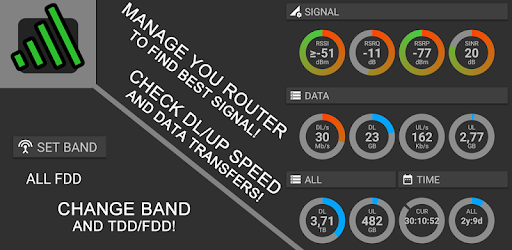
Didn't even know about that App.
Here's a link to it for anyone else:

Do you know which Huawei Routers are supported?
 
Telkom uses TDD (Time Division Duplexing), generally on band 40 (2300Mhz) which allows for 3x 20Mhz carriers (60Mhz total) on that band.

Band 1 is 2100Mhz.

Strange that the router is reporting 10Mhz. You may be able to change the channel width on the router.

The B525 is a CAT6 router. At the office, we have the B618-22d which is CAT11.

Basically, what the above means is that your B525 supports 2 x 2 MIMO (Multiple Input, Multiple Output), the B618 is a 4 x 4 MIMO. This is used to improve signal using multiple paths.

The B818-263 is 4 x 4 MIMO afaik and the B818-260 is 8 x 8 MIMO.

You will probably find that the phone has a higher CAT rating than your B525 which allows the base station to "talk" to the device at a higher data rate.

Here's my router at home, using 20Mhz.

View attachment 1045147
Anyone have a 618 or 818 to test in the durban area?
 
Top
Sign up to the MyBroadband newsletter
X