Unifi Appiance issue

irBosOtter

Expert Member
Joined
Feb 14, 2014
Messages
2,933
Reaction score
984
Location
Cape Town
I use a Unifi appliance for my home, been running it for over a year but now there is a issue, before I rebuild it anyone know how to fix this:

Suppose to show IP and interface name, I can ping it, so it still has an ip of 192.168.5.10

1592380011101.png

When I select 2 it just shows this:
1592380086141.png


Here's the details about the appliance if anyone is interested.
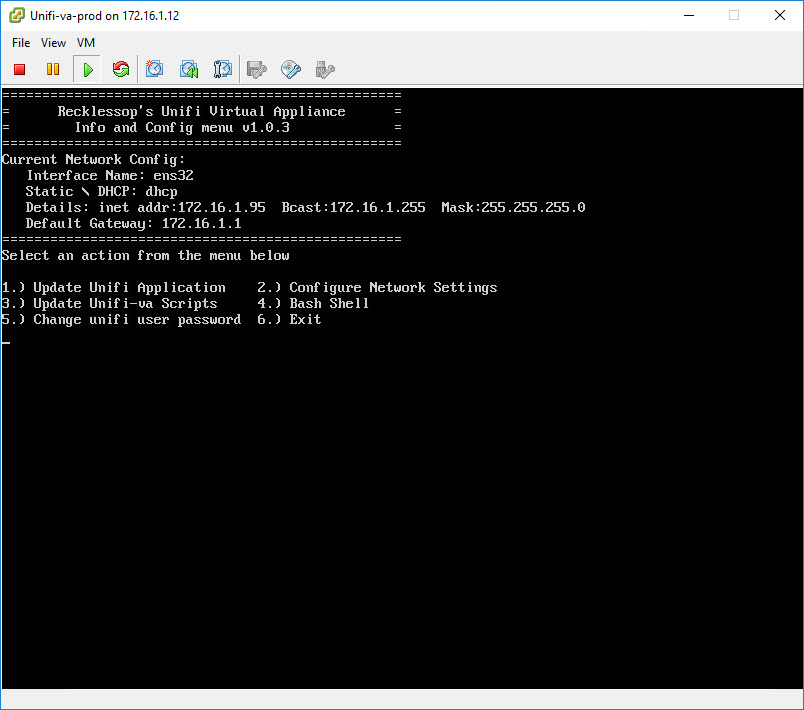
 
Looks like this software or underlying dependencies may have updated recently, resulting in Python issues..
 
Yeah I unfortunatly don't know crap about Ubunu, will be easier to rebuild then haha
It's not Ubuntu specific.. It's a missing module called yaml for Python..

You could try the following commands, if you have terminal access:

sudo pip install pyyaml

You may or may not get an error about pip not being installed..
 
It's not Ubuntu specific.. It's a missing module called yaml for Python..

You could try the following commands, if you have terminal access:

sudo pip install pyyaml

You may or may not get an error about pip not being installed..

Cool, moaned something about no python.... started installing it and at this point I think I screwed it completely haha

Thanks for the help though, think I will setup a vm backup for the appliance the going forward after the rebuild, do have a backup file so easy to re-deploy the appliance
 
is there enough free disk space on the appliance? that may be causing the issue.
 
Not seeing anything particularly OTT value add the 'appliance' is adding
You could get this up and running in a docker on a VM or even WSL if you use windows10

The publicly maintained Unifi docker's kept pretty up to date and runs very lean on resources
 
Top
Sign up to the MyBroadband newsletter
X