


Arthur
Honorary Master
That's the "Side by Side" folder for collecting drivers, DLLs 'n stuff to be carried forward from version to version. It's an assembly cache.C:\Windows\WinSxS
Last edited:
South Africa’s biggest forum. Discuss, discover, and connect with thousands of members.
That's the "Side by Side" folder for collecting drivers, DLLs 'n stuff to be carried forward from version to version. It's an assembly cache.C:\Windows\WinSxS
I'm literally watching my c:\$windows.~BT\Sources folder fill up with Windows 10 goodness
Is this relevant for Windows Insiders?I've set my Windows 8.1 to automatic updates and made sure that all updates are installed. I got the Windows 10 icon but it isn't downloading. No $windows folder. How do I trigger the download process?
I installed Win 10 240 when it came out on my old laptop via insider program.Is this relevant for Windows Insiders?
Please post in a new thread.

I've set my Windows 8.1 to automatic updates and made sure that all updates are installed. I got the Windows 10 icon but it isn't downloading. No $windows folder. How do I trigger the download process?
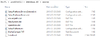
These are staged upgrades from older OS, not for Insiders. If you reserved upgrade on the WEB site, you will be served first. If you didn't, just wait.I installed Win 10 240 when it came out on my old laptop via insider program.
Was under the impression the downloads for the 29th are already starting so I can do my other laptop.
Is hidden folders enabled?
It downloaded stuff, but it's not doing anything more than that... it's probably waiting for tomorrow morning to start.
View attachment 238908


and this:
View attachment 238922
which means it is primed and ready to go for tomorrow (as I understand from reddit)

Then post in this thread about upgrades on computers which are part of the program.And yes forum / thread police I am also part of the insider program :erm:
Then post in this thread about upgrades on computers which are part of the program.

I've set my Windows 8.1 to automatic updates and made sure that all updates are installed. I got the Windows 10 icon but it isn't downloading. No $windows folder. How do I trigger the download process?
Is hidden folders enabled?
It downloaded stuff, but it's not doing anything more than that... it's probably waiting for tomorrow morning to start.
View attachment 238908
I have reserved and have none of that ****. GWX just sits there looking at me...
And yes forum / thread police I am also part of the insider program :erm:
 Check your network monitor if it's being downloaded right now.
Lol
Dude, do you have $Windows.~BT folder in your C:\? If yes, then your PC's busy receiving Windows 10 goodness in the background. Silently

Lol
Dude, do you have $Windows.~BT folder in your C:\? If yes, then your PC's busy receiving Windows 10 goodness in the background. Silently


MSDN subscriber downloads today:
Windows 10 (Multiple Editions) New!
Windows 10 Education New!
Windows 10 Enterprise New!
Windows 10 Enterprise 2015 LTSB New!
Windows 10 Features on Demand New!
No but this worked for me
1. delete everything in this folder
C:\Windows\SoftwareDistribution\Download
2. set update settings to
Install updates automatically (recommended)
3. open cmd as admin and run
wuauclt.exe /updatenow
The update instantly started and the bt folder was created.
source
https://www.reddit.com/r/Windows10/comments/3exx29/preload_windows_10_if_you_dont_have_the_folder/
See you on the other side!I can only download Enterprise on my subscription.
Anyone know where I can get en-gb_windows_10_multiple_editions_x86_dvd_6846906.iso
