


Dimpie (JIGSAW)
Honorary Master
^ under 2mb 
South Africa’s biggest forum. Discuss, discover, and connect with thousands of members.


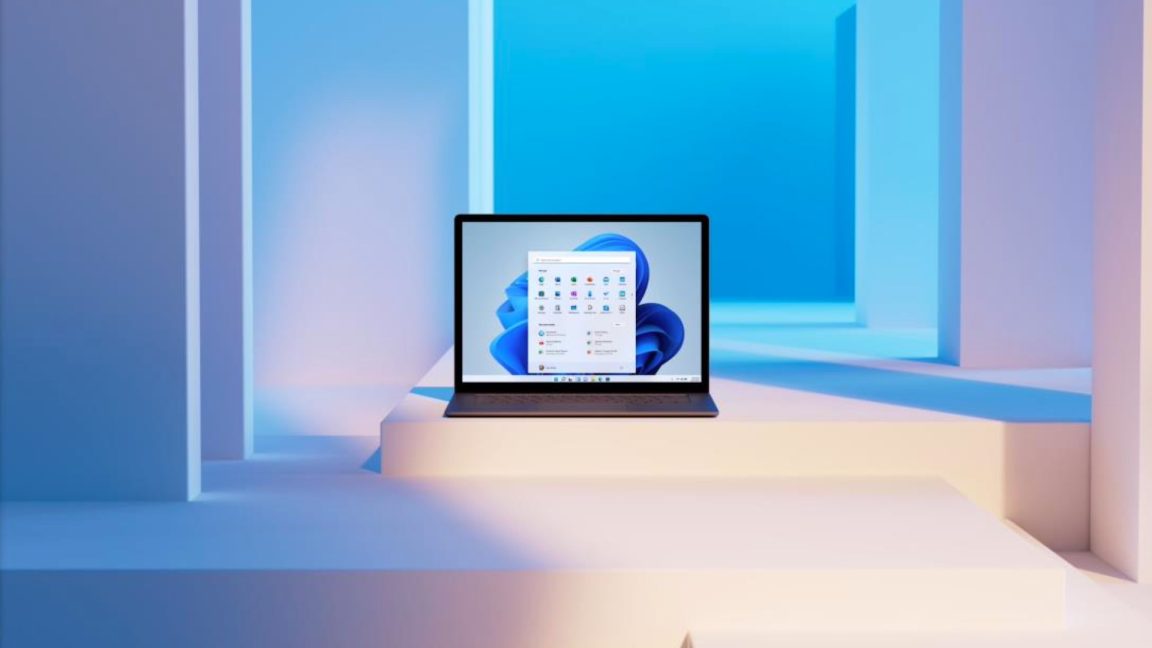
Windows 11 was a rather unexpected announcement, considering Microsoft painted Windows 10 as the last Windows release, so to speak. At first glance, the changes the new version brought were minimal and a little controversial.
The rearrangement of the Task Bar and the overhaul of the Start Menu ruffled the feathers of many desktop users as it reeked of touch-based tablet design cues, for example.
Underneath, however, Windows 11 is more than just a facelift, especially with how it opened the doors to finally updating the operating system's first-party applications.
Venerable apps like Paint and Notepad, for example, finally got a refresh after decades of stagnation. Now it's time for Windows' file manager to get a long-awaited feature and for the Start Menu to regain something it originally lost in the transition.
Plus, Windows 11 is also getting a few new features that increase its appeal for those with hearing disabilities, as well as workers who deserve the occasional break.


Anyone got Core Isolation to work?
Seems a lot of my drivers does not have updated versions that supports Windows 11.

Mine is also missing now as well - seems as if there's an issue with Microsoft Edge WebView2 Runtime... - this is what popped up when I clicked on the Widgets icon at the left edge of the Taskbar.
View attachment 1284526


Installed these updates last night, this morning I could not get into Edge or Firefox. "This application was unable to start correctly (0xc0000022). Click OK to close application".Latest 'Patch Tuesday' Updates for 'unsupported' versions of Windows 11 are now available:
View attachment 1289360
Today, Microsoft is releasing this month’s preview updates to Windows Insiders. Those in the Release Preview channel will get Windows 11 build 22000.651 or Windows 10 build 19044.1679, depending on what your machine supports.
By preview update, that means that production users will have the opportunity to opt into testing this in a week or two, and then it’s going to be part of next month’s mandatory Patch Tuesday update.
As usual, there are a ton of fixes. This one has an interesting one though, which is that it fixes an issue that would cause Windows 10 or Windows 11 to take 40 minutes to start-up.
Microsoft didn’t elaborate on this bug or what caused it.
If you’re still on Windows 10, but not due to system requirements, you won’t be able to get Windows 10 build 19044.1679 just yet. In fact, unless you’re restricted by system requirements, the Release Preview channel would take you right to Windows 11.
You’ll be offered the preview update when it comes to production, as you will be if you’re on an earlier, supported version of the OS.

 www.xda-developers.com

Windows 11 has settled down a lot since its original release, but Microsoft continues testing new features and tweaks to the operating system in its Insider Preview program.
So far this month, the builds have focused on bug fixes and UI tweaks, but a few notable changes are notable enough to call out.
This week's build, version 22598, is relatively low on user-visible changes.
One change is that "a limited number of Windows Insiders" performing clean installs will have their desktop wallpapers set to rotating Windows Spotlight images by default.
The other change is Microsoft experimenting with 4K wallpapers via Spotlight.
There's also a new album-centric view for artist pages in the redesigned Media Player app.
Last week's preview, build 22593, brought some changes for the File Explorer and some window management improvements.
The default view for new File Explorer windows is now called "Home," though the available content doesn't change much.
Folders can still be pinned to your Home window, but the "Quick access" label has been moved from the navigation sidebar to the main window, and "pinned" files are now called "Favourites" to make them more consistent with the labelling used in OneDrive and Office.
When you bring up the Snap Layouts pop-up with the Win+Z keyboard shortcut, the preview build also labels each layout option with a number, making it easier to pick a layout from the keyboard without moving your hand to your mouse or trackpad.
These preview builds of Windows 11 will also begin actively recommending that you enable the memory integrity security feature, showing you a notification when it's turned off (as it will be on all but the newest Windows 11 PCs by default).
As we've written, the memory integrity feature (also called HVCI) runs best on newer CPUs that support a feature called mode-based execution control (MBEC).
But even with MBEC support, you may notice a minor performance penalty for games and other CPU-heavy tasks.
It's an easy call to enable it on a general-purpose laptop or a desktop you use primarily for work, but the trade-off could be more noticeable for a gaming PC or workstation that needs all the CPU power it can get.
Enabling the memory integrity feature won't be a prerequisite for installing or upgrading Windows 11 on these PCs, and the warning prompt is dismissible.
If you're running Windows 11 on a PC with an unsupported CPU, it's probably best not to enable the memory integrity feature.
Running it on older processors without MBEC support can have a much more noticeable performance penalty.
The last few Windows 11 Insider updates have been released to the Dev and Beta channels.
The two will eventually split again; the Dev channel will receive more experimental and less-stable features, and the Beta channel will be a place to experiment with likely public Windows features.
Dev channel users who would like to switch to the more stable Beta channel are encouraged to do it now while both channels are still receiving the same builds.
Some of the new tested features in the Insider Preview channels will likely wait for Windows 11's next big servicing update, due out sometime this fall.
Others, particularly the bug fixes, "may make their way into" updates for Windows 11 21H2, the current public version of Windows.
 arstechnica.com
The Linux community has had these features for over a decade now. Tabs have also been available for terminals since like the beginning... I know that Windows 11 is apparently shipping with "Windows Terminal" which is a good alternative to the old cmd.exe I guess but it's still nowhere near the likes of terminator even gnome terminal in ubuntu.Still no tabs in File Explorer....
I assume that MS decided to cancel it in total.

