Digitaluser
Well-Known Member
Just recently my chrome app icons have become blank on the taskbar in win 11. only WhatsApp - calculator - weather - camera - and chrome browser icons remain intake ????
South Africa’s biggest forum. Discuss, discover, and connect with thousands of members.

It's the new Windows 12 Liquid Glass UIJust recently my chrome app icons have become blank on the taskbar in win 11. only WhatsApp - calculator - weather - camera - and chrome browser icons remain intake ????



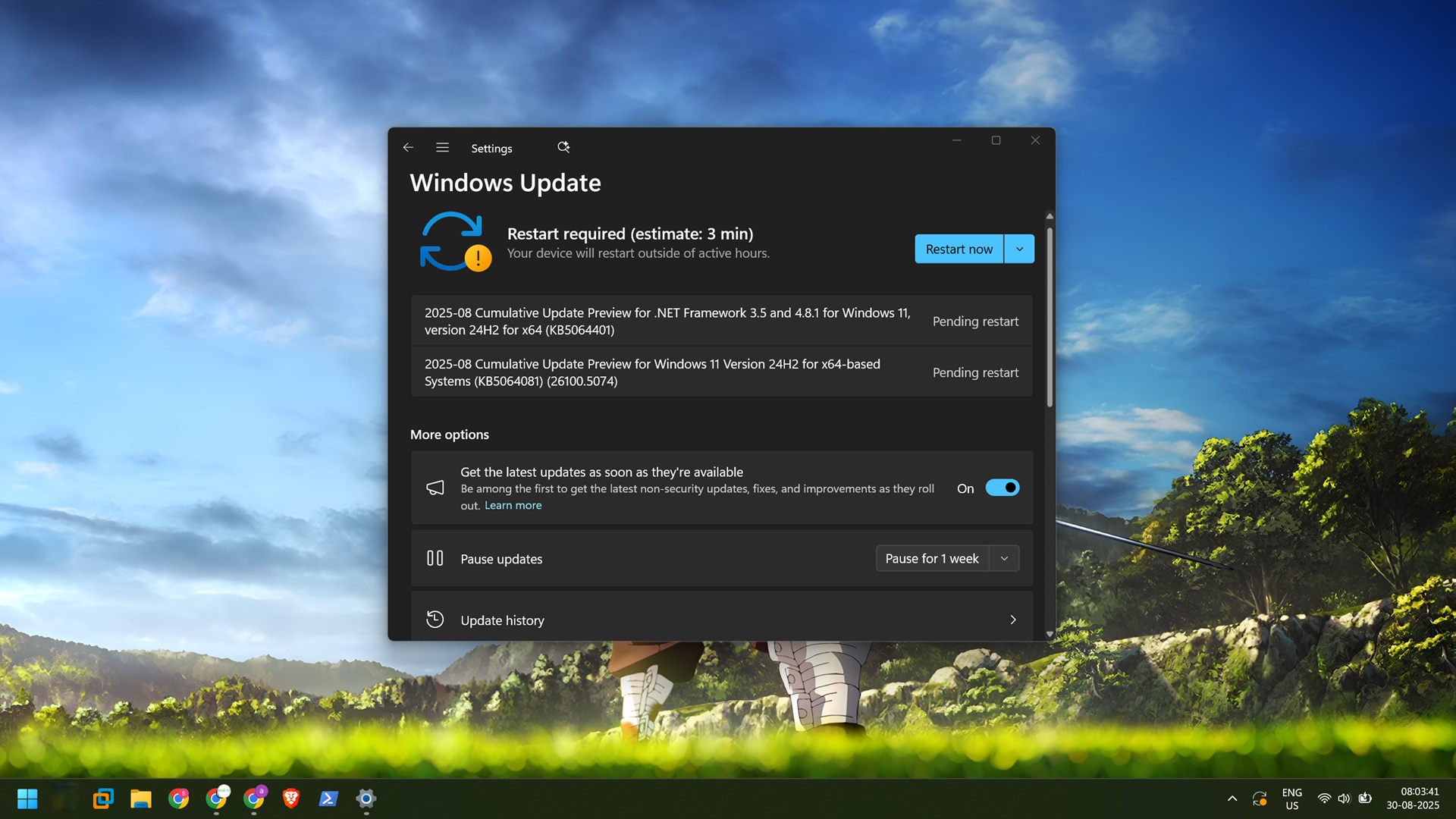
Another ±3GB update : KB5062660 ... Will update version to 26100.4770
Windows 11 KB5062660 update brings new 'Windows Resilience' features
Microsoft has released the KB5062660 preview cumulative update for Windows 11 24H2 with twenty-nine new features or changes, with many gradually rolling out, such as the new Black Screen of Death and Quick Machine Recovery tool.www.bleepingcomputer.com


So you select say 2 files on your desktop,right click for your quick menu then select Send To > Mail recipient.
If you use outlook or another email client a new mail will open with the files attached.Type your mail and send no problem.
Does anyone know how to get Gmail to open a new message with the 2 files attached?Apparently can’t be done as Gmail doesnt have a mapi client on Win 10 or 11.I don’t want to setup my gmail in Mail for Windows.Any ideas if you’ve done this successfully…?Its a quick shortcut,instead of opening a new message in Gmail and then attaching from the ‘paperclip’.

That's really the only way if you want it baked into the quick menu like thatSo you select say 2 files on your desktop,right click for your quick menu then select Send To > Mail recipient.
If you use outlook or another email client a new mail will open with the files attached.Type your mail and send no problem.
Does anyone know how to get Gmail to open a new message with the 2 files attached?Apparently can’t be done as Gmail doesnt have a mapi client on Win 10 or 11.I don’t want to setup my gmail in Mail for Windows.Any ideas if you’ve done this successfully…?Its a quick shortcut,instead of opening a new message in Gmail and then attaching from the ‘paperclip’.

New Windows 11 24H2 updates released this month have caused problems for some SSD and HDD drives. This has been linked to the KB5063878 security update and the KB5062660 preview update, both of which appear to trigger errors during heavy write operations.
The bug occurs during transfers of more than 50GB when the SSD is more than 60% full. In these cases, some drives become inaccessible until the system is restarted. Out of 21 SSDs tested, 12 demonstrated this behavior, and one, the Western Digital SA510 2TB, could not be recovered at all. In some cases, restarting the system made the drives accessible again, but others remained unusable even after a reboot.
According to early findings, SSDs without DRAM from Phison seem to have a higher chance of problems under smaller write loads. Some HDDs have also shown similar problems under comparable workloads.

 www.windowslatest.com
Just recently my chrome app icons have become blank on the taskbar in win 11. only WhatsApp - calculator - weather - camera - and chrome browser icons remain intake ????

Thus it appears that anyone who purchased an NVMe SSD from a retail store should not have to worry as the final production firmware of drives do not have this issue, which is why Phison or Microsoft did not find any problems during their testing as it is likely only retail-ready products were tested.PCDIY! testing has revealed that the SSDs crashing and crashing due to the Windows 11 update were using pre-release, pre-final versions of the engineering firmware. Because all SSD manufacturers selling products using PHISON controllers purchase their products from the original manufacturer and ship them in bulk using mass-production tools, the SSDs delivered to consumers are already using the official firmware. The official firmware has been thoroughly tested and verified, and does not exhibit the anomalies often seen with engineering firmware.
Root cause for why Windows 11 is breaking or corrupting SSDs may have been found - Neowin
A Chinese Facebook PC DIY enthusiast group named PCDIY! appeared to have discovered what the actual root cause of the issue really is. It appears that the real cause of the problem is pre-release versions of engineering firmware that somehow may have been triggered by the Windows 11 updates that led to the problems.
The PCDIY! group admin Rose Lee also claims that the issue was successfully verified by Phison engineers in the labs and this gives credibility to the report. Lee writes (Google-translated to English from Chinese):
Thus it appears that anyone who purchased an NVMe SSD from a retail store should not have to worry as the final production firmware of drives do not have this issue, which is why Phison or Microsoft did not find any problems during their testing as it is likely only retail-ready products were tested.
If you are, however, encountering troubles of a similar nature then it is worth doing a firmware update on your SSD; but do ensure to back up your data before, just in case.
Phison has also added that the issue of the slowing down of drives is due to maxing out the SLC cache when running large data transfers. In such cases, users would need to run a Secure Erase to fix slowdown issues and a Windows format is simply not enough.
Strange, I didn't know Windows could update firmwares outside intel/AMD specific hardware and of course BIOS updates.