


FiestaST
Honorary Master
New year for Windows 11 = new optimism.
South Africa’s biggest forum. Discuss, discover, and connect with thousands of members.

Why is that?


The last 12 months have been an incredibly frustrating time for Windows fans. For the first time in a long while, it feels like Windows is suffering from a lack of focus from the people at the top.
Support for Windows 10 ended in October, and this year was the perfect time to strengthen Windows 11 as a viable replacement for millions of users.
Instead, Microsoft spent most of it shoving the OS full of half-baked AI features, all while letting the quality bar slip and shipping new bugs and issues on an almost monthly cadence.
Everything Microsoft has done when it comes to Windows this year has eroded the platform's reputation in ways that I haven't seen since Windows 8. Today, it feels like people hate Windows 11 with a passion, much more so than they did when 2025 first started.
There are so many problems with Windows as a platform right now that it's hard to know where to begin.

Super frustrated, the internet just dropped again and windows won't let me click the WiFi icon to change to another network. I reboot and is greeted by updates.

You’re missing out on a new “class” of PCs, and you may not be prepared for the next generation of computing if you don’t upgrade to a Copilot+ PC. This argument comes from Microsoft’s marketing team, but it’s aligned with the overall vision of the company.
All new PCs are now “AI PCs,” but if you own older hardware, you’re missing out, according to Microsoft.
“Copilot+ PCs” are the “new class” of Windows PCs, and Microsoft argues that “All Copilot+ PCs are Windows 11 PCs, but not all Windows 11 PCs are Copilot+ PCs.” But what qualifies as a “Copilot+ PC”? According to Microsoft, any device that has up to 16GB of RAM, 256GB SSD, and an NPU with 40+ TOPs is a Copilot+ PC.
In fact, some older “AI PCs” do not qualify as “Copilot+ PCs” because they have less than 40 TOPs NPU.
For those unaware, NPU stands for Neural Processing Unit, and it’s specifically used for Artificial Intelligence (AI) and Machine Learning (ML) tasks.
Microsoft adds that PCs built with NPU “are secure, [support] on-device AI processing… empower users to work, create, and communicate more effectively.”
The company won’t tell you that even a gaming laptop GPU is more than enough to run AI models locally because that wouldn’t sell the fancy AI PCs.
“Copilot+ PCs are the fastest, most intelligent Windows PCs ever,” Microsoft argues in a marketing document seen by Windows Latest.
“Copilot+ PCs are designed to support AI innovations of today and for tomorrow,” Microsoft noted. “Upgrading to a Copilot+ PC helps ensure you’re prepared for the next generation of computing.”
Microsoft doesn’t explain how these AI PCs prepare you for the next generation of computing, especially when AI adoption is the only reason why we’re seeing RAM or GPU prices shoot up.
If the future of computing is overpriced PCs, so I could turn myself into an anime character using AI locally, I’d like to stay in the past inside a cave. I am sorry, Microsoft.
 www.windowslatest.com

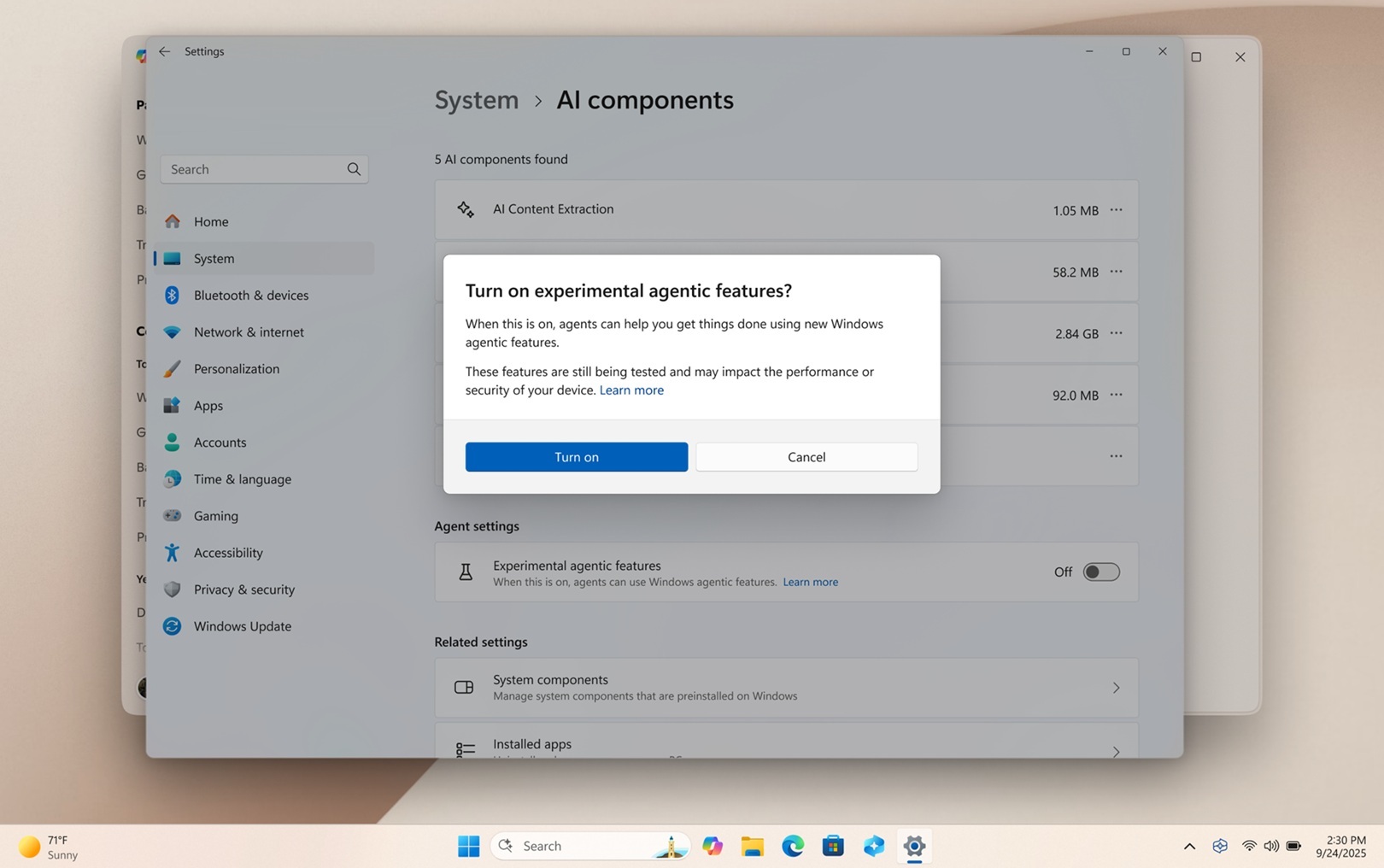
Windows 11 KB5074109 is now available for 25H2 and 24H2. Since it’s the first update of the year, it’s mostly bug fixes, but new features are always gradually rolling out.
January 2026 Patch Tuesday can be downloaded from Windows Update, or Microsoft has also posted direct download links for KB5074109 offline installers (.msu).
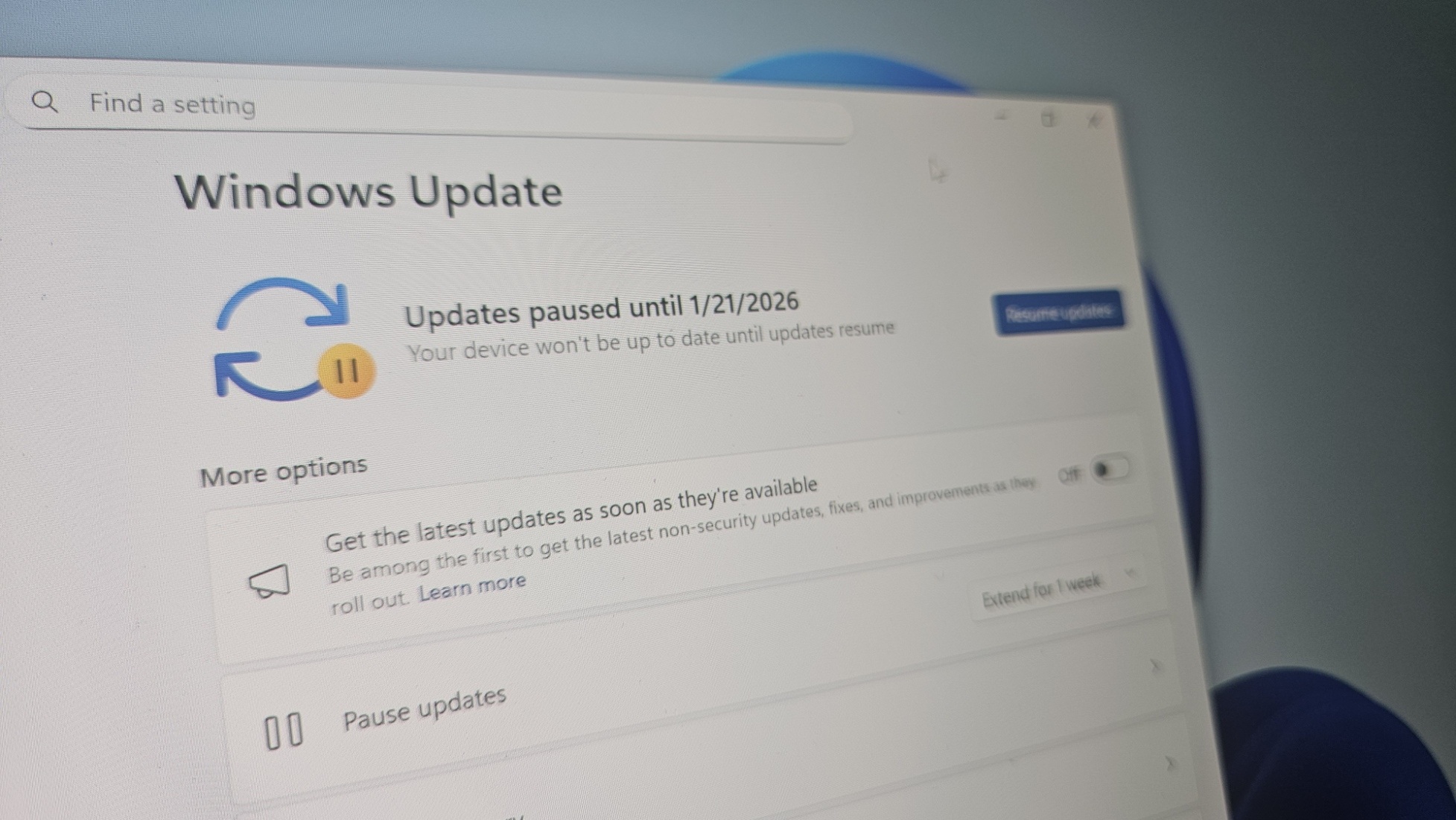
KB5074109 is a mandatory update for Windows 11 25H2, and it’ll download or install automatically unless you manually pause the updates.
In our tests, the January 2026 Patch Tuesday appears as “2026-01 Security Update (KB5074109) (26200.7623)” and downloads automatically in the background.
KB5074109 advances PCs to Windows 11 Build 26200.7623 if you’re on version 25H2 and Build 26100.7623 if you’re on version 24H2. As you might have realised already, Windows 11 25H2 and 24H2 are the same releases, so it doesn’t matter what version you have.
The changelog is the same.
 www.windowslatest.com


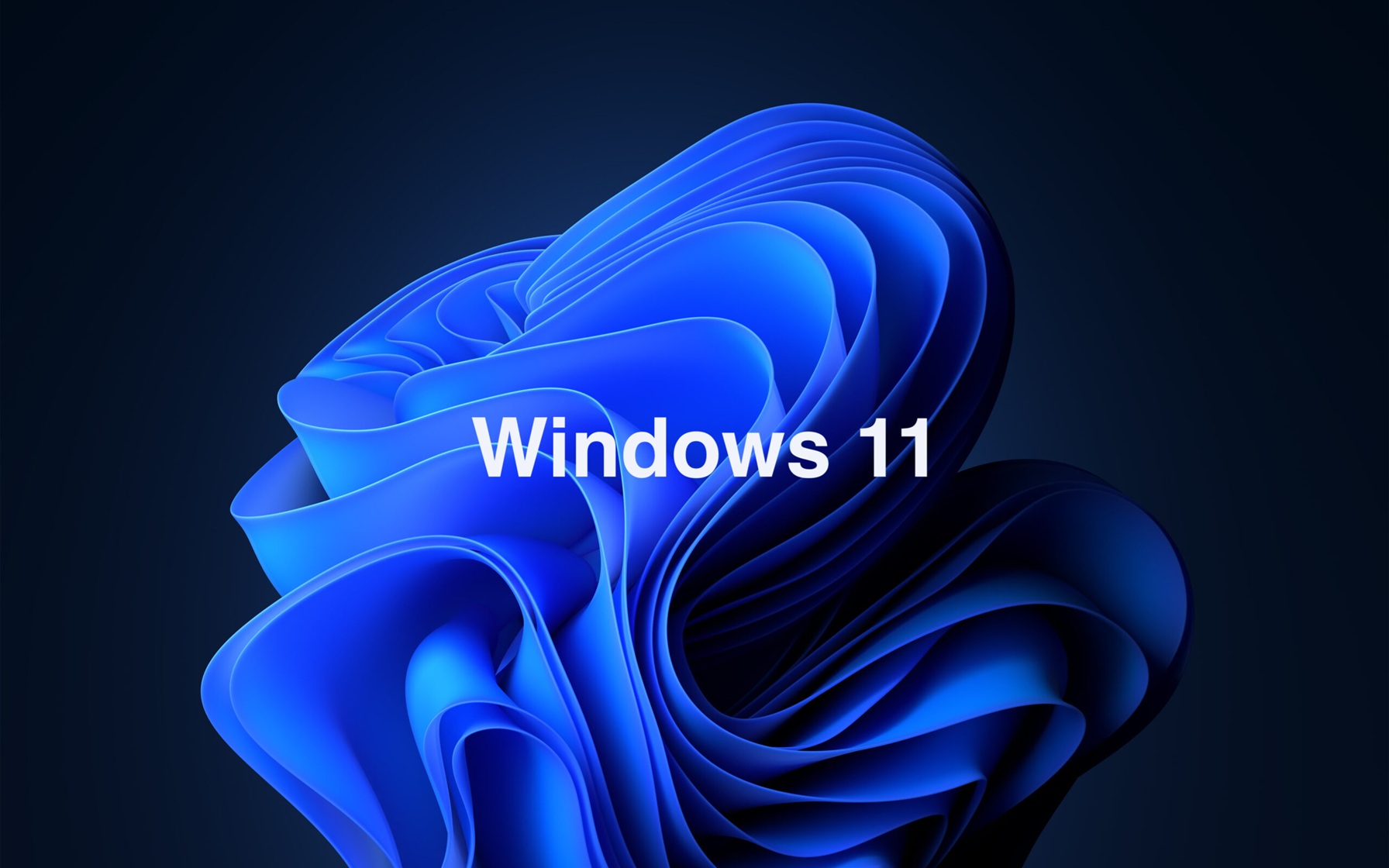
When you booted up your PC recently, you may have been met with an unfamiliar Start menu. There's a good chance that some of your apps have moved and the Start menu itself has a different size and layout than before.
The good news is that this is not a bug. A new Start menu is rolling out to Windows 11. Since the rollout is happening in waves, some people just received it despite the redesign initially shipping in October 2025.
The new Start menu will arrive on your PC after installing the KB5067036 update. If you want the new Start menu right away and don't see it yet, you can toggle the option to "Get the latest updates as soon as they're available" in the Windows 11 Settings app.
You can also enable the new Start menu through ViVeTool.
The new Start menu is better in some ways than its predecessor. The overall design is more adaptable and customizable than before, at least in some ways.
Somewhat surprisingly, some of the new features cannot be customized. For example, the Start menu will now adapt to a larger layout based on your screen resolution, but you cannot set the size of the Start menu.

 www.windowscentral.com

 www.windowscentral.com
I have WAY more than 8 apps pinned to my Start Menu... just click on 'Show all' at the top right to display more rows - or 'Show less' to condense it to fewer rows...Seems you can only pin 8 apps which sucks.
Microsoft revamps the Start menu in Windows 11 — scrollable layout, new views, and fewer clicks
The new Start menu in Windows 11 25H2 and 24H2 brings category and grid views, Phone Link integration, and the ability to hide the Recommended section.


It's 8 pins per rowSeems you can only pin 8 apps which sucks.
Microsoft revamps the Start menu in Windows 11 — scrollable layout, new views, and fewer clicks
The new Start menu in Windows 11 25H2 and 24H2 brings category and grid views, Phone Link integration, and the ability to hide the Recommended section.
I have WAY more than 8 apps pinned to my Start Menu... just click on 'Show all' at the top right to display more rows - or 'Show less' to condense it to fewer rows...
View attachment 1878629
View attachment 1878632
Ok, that still sucks though, I want to see all my pinned apps as it is now.It's 8 pins per row
Microsoft has confirmed a new issue that prevents Windows 11 23H2 devices with System Guard Secure Launch enabled from shutting down.
System Guard Secure Launch is a Windows security feature designed to protect the boot process from firmware-level attacks and malware such as rootkits.
According to a release health dashboard update on Thursday, this known issue affects only systems running Enterprise and IoT Windows editions with the KB5073455 cumulative update installed.
"After installing the January 13, 2026, Windows security update (KB5073455) for Windows 11, version 23H2, some PCs with Secure Launch are unable to shut down or enter hibernation. Instead, the device restarts," Microsoft explained in a Windows release health dashboard update on Thursday.
"Secure Launch uses virtualization-based security to protect the system from firmware-level threats during startup. KB5073455 is only offered for Enterprise and IoT editions of Windows 11, versions 23H2."
Until a permanent fix is available for this bug, Microsoft has shared a temporary workaround that requires affected users to shut down their device from the command prompt by running the following command:
shutdown /s /t 0
However, at the moment, there is no workaround for systems configured to enter hibernation.
"Until this issue is resolved, please ensure you save all your work, and shut down when you are done working on your device to avoid the device running out of power instead of hibernating," Microsoft added.
Microsoft is also working to address a bug triggered by the January 2026 KB5074109 Windows security update that causes connection failures and authentication errors during Remote Desktop connections to Cloud PC sessions.
On Tuesday, Microsoft fixed another known issue causing security applications to flag a core Windows component on client (Windows 10 and Windows 11) and server (Windows Server 2012 through Windows Server 2025) platforms.

Microsoft is investigating widespread reports that a January Windows 11 security update is causing the classic Outlook desktop client to freeze and hang for users with POP email accounts.
POP (Post Office Protocol) is an email retrieval protocol used for downloading emails from a server to a local device. While POP isn't as widely used as IMAP or Exchange, it is still popular among home users and small businesses.
This known issue affects users who have installed the KB5074109 security update for Windows 11 25H2 and 24H2, with those impacted reporting that classic Outlook does not exit properly and will not restart after being closed.
"This is an emerging issue, and we don't have all the symptoms yet, but we will update the topic as we understand the issue better," Microsoft said in a Thursday support document.
Microsoft's Outlook and Windows teams are investigating the problem, but the company has yet to provide a timeline for a fix or workaround.
Microsoft said that it will update its advisory as investigators learn more about the scope and cause of this known issue.
Until a permanent fix is released to address this bug, affected users can work around it by uninstalling the KB5074109 update by opening the Settings app, going to Windows Update > Update history > Uninstall updates, and clicking the "Uninstall" link next to "Security Update for Microsoft Windows (KB5074109)."
"As soon as the January 14th update was issued, Outlook started freezing and crashing. I uninstalled KB5074109 and now Outlook works fine again," one of the affected users said.
"No repairs or fixes listed worked except uninstalling the security update. I had to postpone updates to keep it from reinstalling."
However, it's important to note that, just as Microsoft also warns, removing security updates may leave Windows devices exposed to malware and other threats, since they patch vulnerabilities that are often already being exploited in attacks.


Windows 11 KB5074109 causes a black screen on some PCs, including those with an Nvidia GPU, and also freezes Outlook if you use POP, which downloads emails from a server to a local device, among other problems. Windows Latest can also confirm that the File Explorer no longer respects desktop.ini settings, specifically ‘LocalizedResourceName.’
January 2026 Patch Tuesday was released on January 13, 2026, for everyone, including Windows 11 KB5074109 for 25H2 and 24H2. This advances OS to Build 26200.7623 or 26100.7623. However, as is often the case, any software update, not just Windows Update, can introduce new problems that affect a small subset of users.
Sadly, this year’s first Windows update is a mess, and if you’re affected, you’ll need to uninstall the patch or try some of the workarounds tested by Windows Latest.
 www.windowslatest.com
In other news, MacOS has been glorious.


