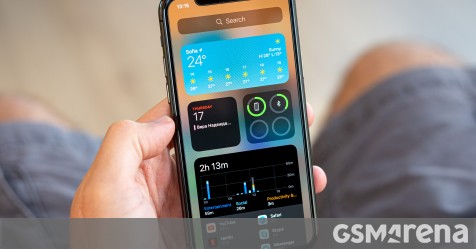
iOS 14 and WatchOS 7 released.

Tried to update my iPad Pro, got prompted for the passcode to download and install the update. iPad refused to take the passcode, tried the passcode again, disabled the iPad. Waited for the 5 minutes to elapse. Performed a “Force Restart”, had to wait another 5 minutes. Tried my passcode again, disabled again. Erased the device from my iPhone and restoring from iCloud.

Strange that the passcode I’ve been using for so many months daily all of a sudden stopped working.
 
How can one see which devices support 4K playback in YouTube? Both iPhone and iPad updated to iOS 14.1 and YouTube app up to date, but I can still only view 1080p max
Are you sure the video has 4k source?
 
99% sure but if someone could perhaps send a link to a video which definitely offers the 4K playback option, I will appreciate it, then I could test again

Just search for MKBHD videos.

IMG_0325.jpg
 

Attachments

  • IMG_0326.jpg
    IMG_0326.jpg
    106.4 KB · Views: 25
  • 2845A4B4-5DA8-4C28-BCDA-B969E9B3B368.jpeg
    2845A4B4-5DA8-4C28-BCDA-B969E9B3B368.jpeg
    521.3 KB · Views: 24
Last edited:
^ thank you...tried it but still get 1080p max. Guess my devices are not supported then.
 
Apple releases iOS 14.2 with new emoji and wallpapers, HomePod Intercom support, more

After releasing the Release Candidate version last week, iOS 14.2 is now available to all iPhone users. Apple has also released iPadOS 14.2 as well as iOS 12.4.9 for older devices.

iOS 14.2 includes a variety of changes and new features, including over 100 new emoji as well as new wallpapers. There is also support for the iPhone 12 Leather Sleeve with MagSafe, although we still don’t have a release date for that accessory.

Elsewhere, iOS 14.2 brings revamped now playing controls to the lock screen alongside redesigned AirPlay 2 controls in Control Center. Another one of the new changes in iOS 14.2 is a brand new Shazam toggle that can be added to Control Center.

To add the new Shazam music recognition toggle to Control Center, first make sure you’re running the developer beta of iOS 14.2, which is rolling out today. Then, open the Settings app, choose “Control Center,” then look for Shazam beneath the “More Controls” header. You can then add the Shazam toggle and rearrange it as you see fit.

 
Really like the Shazam feature, very convenient.

Have to say my iPhone and Watch really took their sweet time when actually running the update itself (after downloading), wonder if there is more this update fixes than what Apple is telling us.
 
Really like the Shazam feature, very convenient.

Have to say my iPhone and Watch really took their sweet time when actually running the update itself (after downloading), wonder if there is more this update fixes than what Apple is telling us.
Was just about to post that lol
 
I must say, I’m greatly disappointed in iOS14. I’ve been part of the Apple ecosystem since iOS 4, and throughout all the years and all the versions, I never experienced problems, even when many people did.

But iOS 14 feels unstable. I sometimes experience lag in typing, in opening apps, switching between apps, I even had an app crash on me, and I have had three instances where my screen rotated to landscape mode and got stuck.

The phone feels slower than with iOS 13.

I did upgrade to 14.2 last night, will see how things go from here on
 
Whatsapp appears to have disabled share to whatsapp in the latest update. Anybody seeing the same or have any ideas on how to fix? I’ve tried editing the share menu but whatsapp doesn’t appear.
 
Whatsapp appears to have disabled share to whatsapp in the latest update. Anybody seeing the same or have any ideas on how to fix? I’ve tried editing the share menu but whatsapp doesn’t appear.

No issues here.

Reinstall?
Reboot?

My phone went a bit screwy the other day (wouldn't connect to WiFi 1 I think the VPN s/w was interfering (Nord) 'cos I'd changed the password. Reboot sorted it out
 
No issues here.

Reinstall?
Reboot?

My phone went a bit screwy the other day (wouldn't connect to WiFi 1 I think the VPN s/w was interfering (Nord) 'cos I'd changed the password. Reboot sorted it out

Thanks, Did a hard reboot and it’s back again. Was quite worried they had decided to stop this. All sorted.
 
Apple releases iOS 14.3 with ProRAW for iPhone 12 Pro, AirPods Max and Fitness+ support, more

Apple will release iOS 14.3 and iPadOS 14.3 to all users today. The update includes new features such as Apple ProRAW for iPhone 12 Pro users, as well as support for the forthcoming AirPods Max over-ear headphones and support for the Apple Fitness+ service.

New features in iOS 14.3

One of the most notable changes for iPhone users in iOS 14.3 is support for the new ProRAW photo format for iPhone 12 Pro and iPhone 12 Pro Max users. Apple announced the ProRAW format in October alongside the iPhone 12 Pro and iPhone 12 Pro Max, teasing that it would be available via a future software update.

When you update to iOS 14.3, you’ll be able to enable the option via the Settings app under the “Camera” section then under “Formats.” In that area of the Settings app, you should see a new toggle for Apple ProRAW. Apple warns that each file in the ProRAW format will be approximately 25MB in size.

 
iOS 14.4 now available with Apple Watch Unity face support, bug fixes, and more

Apple has released iOS 14.4 and iPadOS 14.4 to the general public today after previously beta testing with developers and public beta users. The update brings changes to the Camera app, bug fixes for keyboard input lag, and much more. It also includes support for the new Apple Watch Unity watch faces.

Apple first made the announcement in a press release this morning detailing new initiatives for Black History Month. Apple is also releasing watchOS 7.3 today.

iOS 14.4 features

Apple says that iOS 14.4 includes support for recognizing smaller QR codes in the Camera app, as well as the option to classify Bluetooth device types in Settings. Notably, the update also adds new notifications for when your iPhone can’t verify if you’re using a “genuine Apple camera.”

iOS 14.4 also includes a handful of bug fixes related to HDR photography, the Messages app, and more. There is a fix for keyboard lag, which is an issue that has been plaguing many iPhone users since iOS 14 was first released.

 
Report: iOS 14 reaches 90% adoption

Apple’s iPhones usually boast some of the highest update rates as users are treated to the latest firmware update as soon as it’s released by Apple. According to data from Mixpanel an estimated 90.45% of iOS users are running iOS 14 on their devices. Apple still hasn’t officially backed up these claims but the numbers make sense if we go by previous values.

Back in February, Apple published official adoption rate data for iOS 14 with data measured by the App Store. The numbers revealed 86% of all devices introduced in the past four years used iOS 14 and 80% of all iPhones ran the iOS 14.


Snip.JPG
 
Top
Sign up to the MyBroadband newsletter
X