


PostmanPot
Honorary Master
i tried getting a shot of a bumble bee but they move around too much
http://www.flickr.com/photos/chau001/3330512575/in/photostream/
Aw, pity! Well tried though.
South Africa’s biggest forum. Discuss, discover, and connect with thousands of members.
i tried getting a shot of a bumble bee but they move around too much
http://www.flickr.com/photos/chau001/3330512575/in/photostream/


The majority of my macro shots have been taken with this since I first heard of it on the Tips from the top floor podcast. http://mybroadband.co.za/photos/showphoto.php/photo/2929


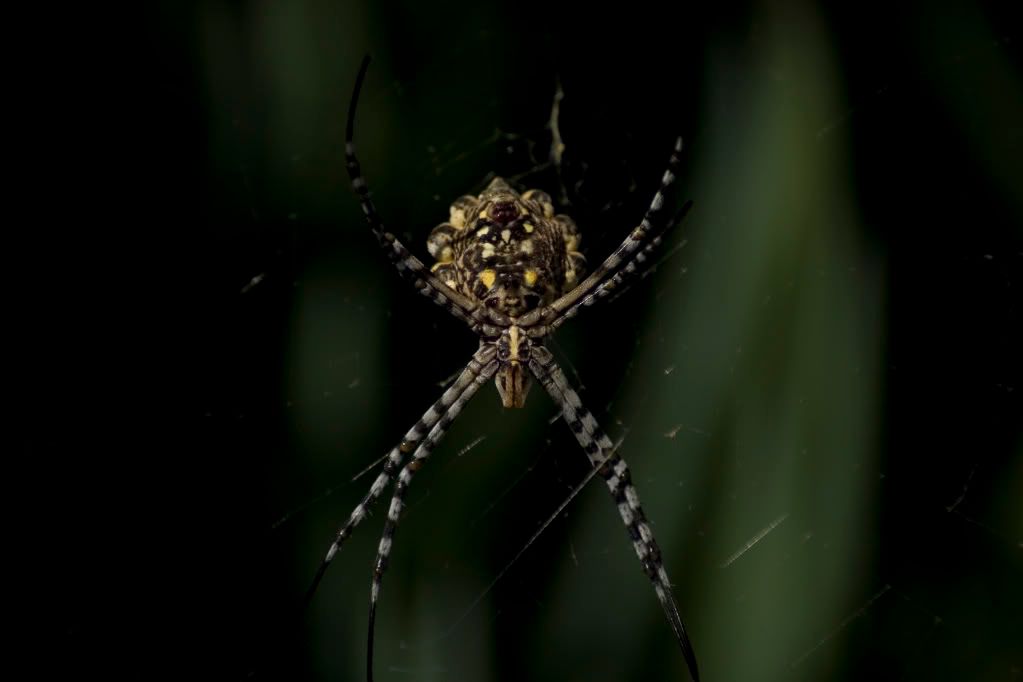
I'm thinking it was an Olympus Zuiko Digital ED 14-42mm F3.5-5.6 lens on a Olympus E-620. Taken at 1/80s at f/5.6 with a focal length of 42mm. ISO . . . 200.
Settings and camera and lens please?
Amazing
I'm thinking it was an Olympus Zuiko Digital ED 14-42mm F3.5-5.6 lens on a Olympus E-620. Taken at 1/80s at f/5.6 with a focal length of 42mm. ISO . . . 200.
http://www.flickr.com/photos/kalvaer/3966024228/meta/

 . There is one catch though. I had a Raynox DCR-250 Super Macro Conversion lens attached to the 14-42mm which obviously would not show up on the Meta Data.
The hell he isI'm sure there's a formula somewhere out there for what happens when you do that... perhaps Bwana knows - he's smarter than the average bear.

