Windows 11 Support Thread

Ok, that's a little weird. ...but yea, clicking that yellow icon will not do anything.

just holding the pointer on one of those "previews" also not bring the windows into full view ?

Does middle-click actually open a new window tho ?
Yeah ill wait till it happens again with just one window and try record to show the same behaviour.
 
When you have time, do a simple test ....

Create a new 2nd user. (these settings should be default)
Test the exact same thing with this user ... open eg 2-3 explorer windows and see if you can change between them.
If it works correctly, the problem isn't pc/windows related, but an issue with your account/settings.
Maybe some 3rd party software messed up your setting ...eg if you had explorerpatcher installed for instance, it's always best to first revert to default settings before uninstalling the program.
 
But that is right ... you have 2 explorer windows already open ... when hover over that yellow icon you need to click the window that you actually want open ... to open a new 3rd explorer window, r-click and select "windows explorer" (or middle click on the icon)... another reason I don't like combined windows ....

and people want to laugh at my floating "icon bar" :ROFL: :ROFL: :ROFL: ... it just works 🤪
I usually just press window + E for a new window
 
When you have time, do a simple test ....

Create a new 2nd user. (these settings should be default)
Test the exact same thing with this user ... open eg 2-3 explorer windows and see if you can change between them.
If it works correctly, the problem isn't pc/windows related, but an issue with your account/settings.
Maybe some 3rd party software messed up your setting ...eg if you had explorerpatcher installed for instance, it's always best to first revert to default settings before uninstalling the program.
Problem is it only happens after a while. I'll have to work on another account. It doesn't seem to happen in my Virtual Box. But then again I don't nearly use it to the same capacity. It could also maybe be linked to when multiple monitors are in use.
 

Microsoft admits major Windows 11 25H2 UI features broken too alongside 24H2 on some PCs - Neowin

Last month in the second half on November, Neowin noticed that Microsoft had put up a support article describing the broken nature of some of Windows' most important UI and UX components.

If you missed the news, the tech giant admitted that Windows 11's Shell elements which include the Explorer, the Start Menu, Taskbar, among others, were bugging out on certain enterprise and office systems.

The support article was published as guidance for IT admins and system admins to deal with such issues.

The main problem was related to XAML, and earlier today, Microsoft added more details about the problems.

As a refresher, the company acknowledged that since the July 2025 Patch Tuesday update (KB5062553), the problems were occurring on provisioned Windows 11 24H2 PCs.

In our original article, we speculated that alongside Windows 11 24H2, version 25H2 is likely affected too, considering the two versions share the same codebase and the servicing branch.

Today, Neowin noticed Microsoft has confirmed that it is indeed the case as the company added that the October 2025 Patch Tuesday for Windows 11 25H2 (KB5066835) had these problems too; they started with the September 2025 preview update (KB5065789).

In effect this means the latest Windows 11 update KB5070311 is affected too.

 
Last edited:

Microsoft warns latest Windows 11 updates might break the Start menu, Taskbar, and other integral UI bits — here's what you need to know - Windows Central​

Windows 11 PCs that are targeting enterprise use may experience an issue where system-level UI surfaces and apps such as the Taskbar, Start Menu, and Settings app will fail to load or crash.

Microsoft has confirmed a new issue that is impacting Windows 11 PCs which might see integral UI elements such as the Start menu and Explorer fail to load in or crash after being provisioned with the latest security updates. The company says this issue mostly impacts enterprise PCs, and is "unlikely" to occur on personal devices.

The support document published by Microsoft says that "After provisioning a PC with a Windows 11, version 24H2 or a Windows 11, version 25H2 monthly cumulative update released on or after July 2025, XAML-dependent modern apps such as Explorer, the Start menu, SystemSettings, Taskbar and Windows Search might experience difficulties."

This issue impacts all integral and OS level interfaces, from the Windows Explorer to the Taskbar and Start menu. If the problem arises on your PC, you can expect to experience issues such as the Start menu failing to open when clicking Start, the Taskbar disappearing, Windows Settings failing to open, and logging into a blank screen with no desktop interface.

The good news is Microsoft has already identified a cause for the problem, stating that it's because the OS is failing to register certain XAML packages in time after installing new Windows updates. The company is working on a resolution, but no update is available yet that addresses the issue.

 
'But Wait, There's More....SO MUCH MORE!'... :p

Microsoft confirms Windows 11 update accidentally breaks dark mode in File Explorer, causing white flashes - Windows Latest​

1764870838508.png

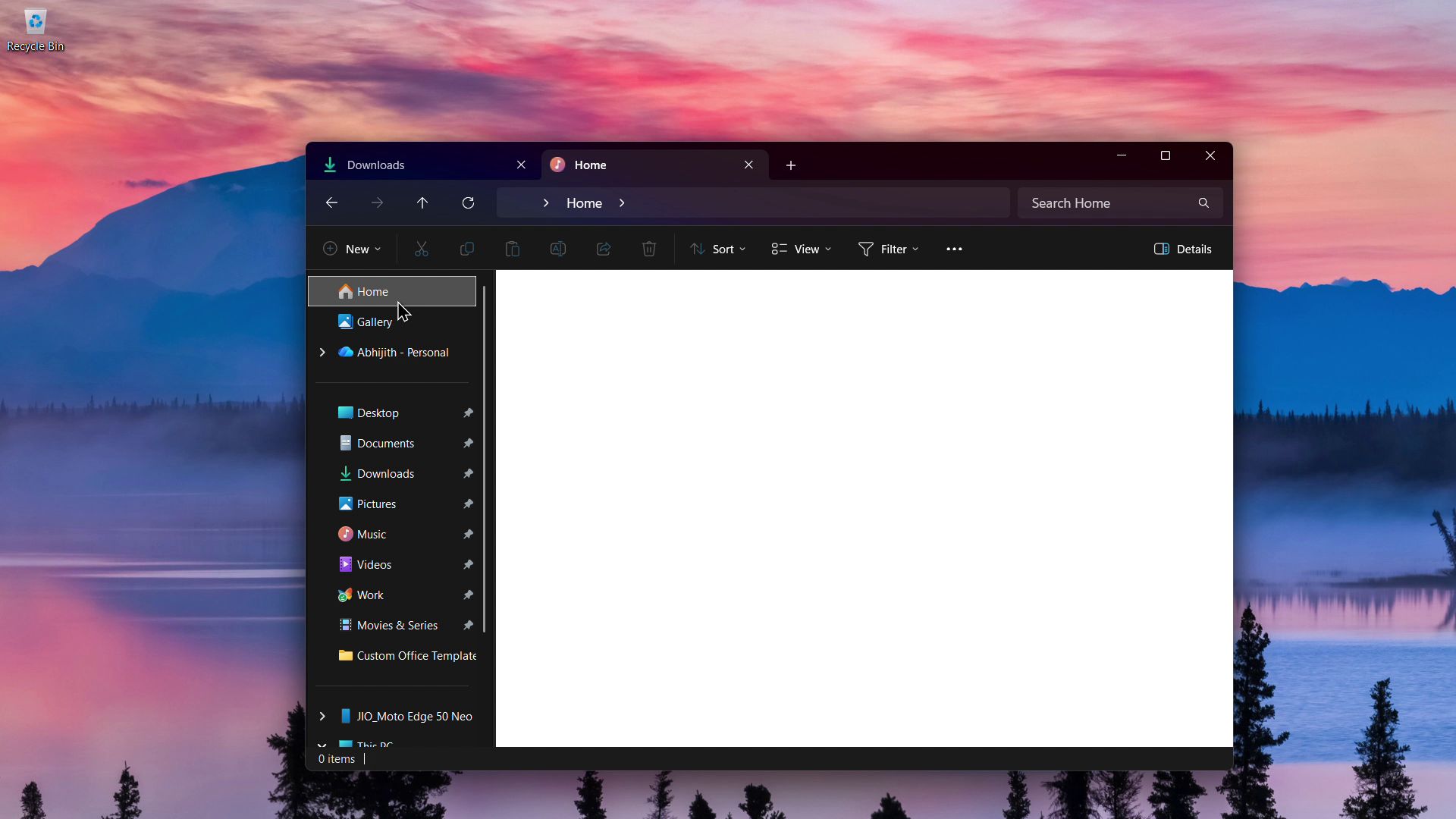
Microsoft’s latest Windows 11 KB5070311 update brings the much-awaited dark mode for File Explorer dialogs like copy, move, and delete. However, the update also brings a known issue where, in dark mode, the File Explorer might flash with a white screen when you do certain activities.

As reported by Windows Latest, the update titled “2025-11 Preview Update (KB5070311) (26200.7309)” is optional, and you’ll need to manually click “Download & Install” to apply it. Post the update, you’ll be on Windows 11 Build 26200.7309 if you’re on version 25H2, or Build 26100.7309 if you’re in version 24H2.

We installed KB5070311 on our PC running Windows 11 25H2 and noticed that the white screen appears everywhere except the ribbon and Navigation Pane. We also noticed some inconsistencies in the bug, which is ironic to say the least.

In our testing, we didn’t notice this bug in the Insider Build, which is strange since, technically, the Insider Builds are supposed to have bugs and not the general release Optional Updates.

File Explorer flashes a white screen in dark mode

Microsoft official says that the File Explorer, after the update, “might briefly display a blank white screen before loading files and folders”. The following activities also show the white screen, most of which the company acknowledges:
  • Launching File Explorer to the Home page
  • Switch back between Home and Gallery
  • Going to the Home page from any page
  • Creating a new tab
  • Turning on or off the Details pane on the left
  • Selecting More details while copying files
In our tests, Windows Latest noticed the white flash when launching the File Explorer, just like Microsoft mentioned.

 
The Hits (or misses in this case) from Microsoft just keep on coming... It's a Christmas Miracle - NOT!... :p

Windows 11 KB5070311 issues, install fails, breaks dark mode, hides login password icon, Intel Arc drivers bugs - Windows Latest​

1764871304748.png

  • Microsoft confirms the update breaks dark mode
  • Windows lockscreen login ‘password icon’ invisible issue
  • KB5070311 issues with Intel Arc GPU
Windows 11 KB5070311 is November 2025’s optional update that shipped a bit late, and while it has some quality of life improvements, there are also rough edges. For example, this update can fail to install due to errors like 0x80070306.

But if the update does apply, it will break dark mode in File Explorer and also cause problems with Intel Arc GPU drivers.

“The new update for 2025-11 Pre-Update Update KB5070311 (26200.7309) is giving ERROR 0X80070306. I usually update everything, but I don’t know why it’s giving an error. I have already paused and enabled updates, but it keeps happening. Does anyone else have the same problem, or will Windows release a new update to fix it?” one user wrote.

However, Windows updates often fail, so I wouldn’t make a fuss about it. If you do run into issues when installing Windows 11 KB5070311, you should just skip this release.

First, it’s an optional update, and it’s also labelled “preview,” so it is supposed to have issues, even though it’s not an Insider technical preview build.

 
Dark Clouds Looming for Windows 11 25H2 users - MASSIVE update for the Start Menu... :p 🖥️💻

It’s not just you: Windows 11’s new Start menu really is huge - Windows Latest​

1764871842883.png

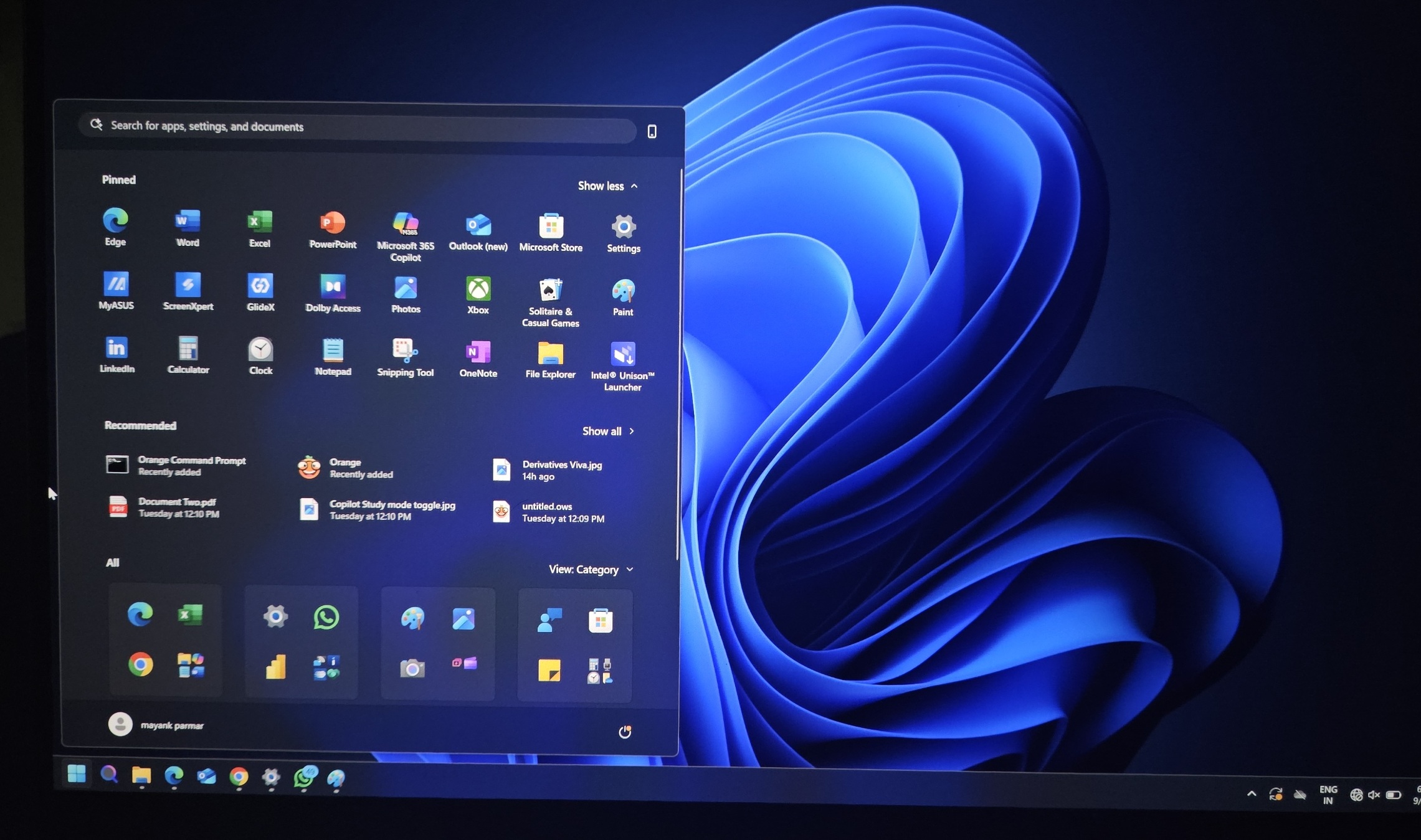
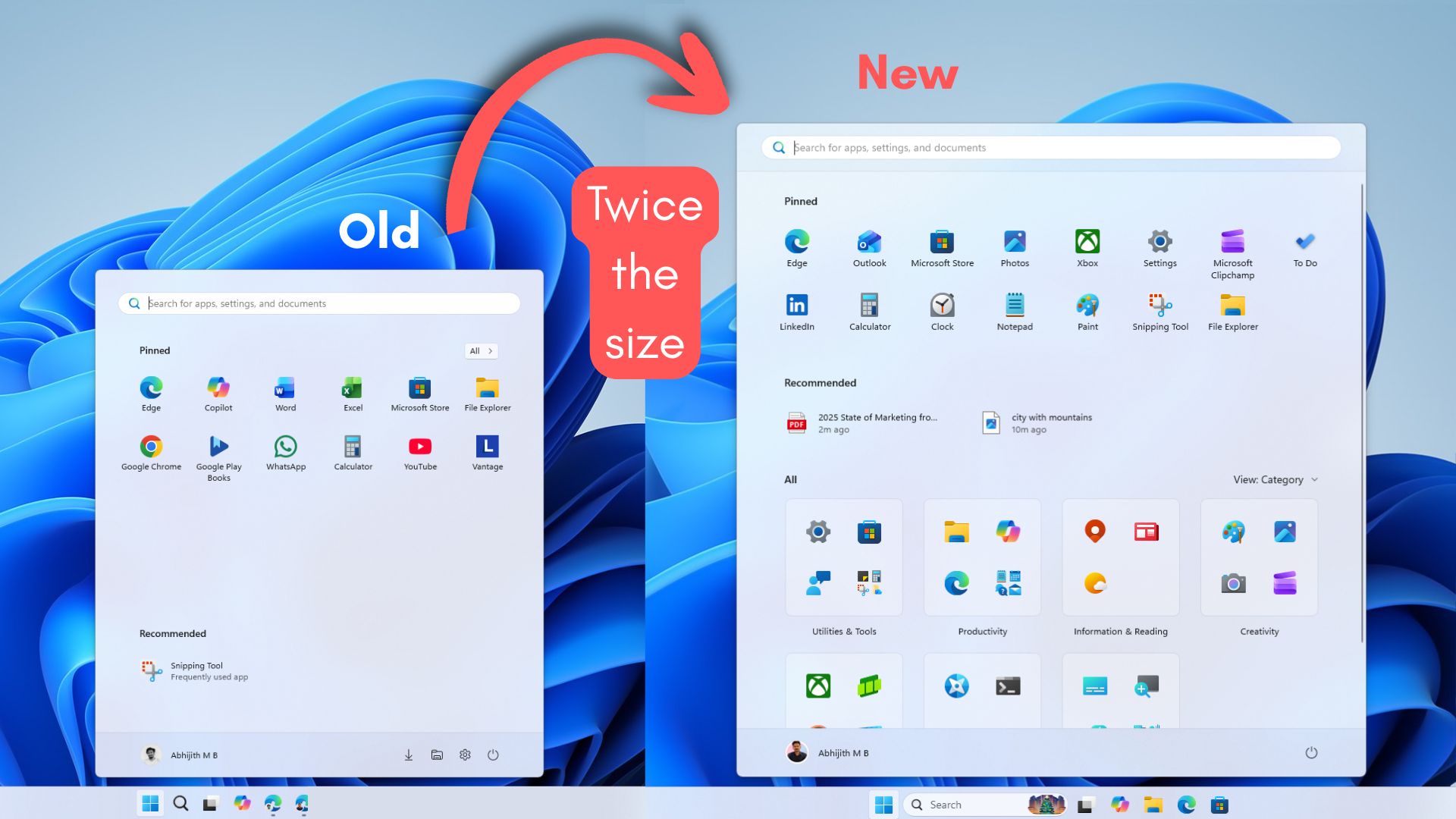
The Windows 11 November 2025 update brought with it a completely redesigned Start menu, to the point where it is the most customizable version, while also occupying a majority of the screen when you click the Windows key.

Yes, the Start menu is now considerably larger than it used to be, and we believe that this is a conscious decision now that the Start menu has a single page with the full app list as well.

In our tests, Windows Latest found that the Start menu now takes about 90% of the vertical screen space, which is a huge jump from its previous 50% to 60%. Also, if you have Phone Link enabled on the Start menu, then it takes the entire screen.

If you don’t see a change in the Start menu even after installing the Windows 11 KB5068861 update with Build 26200.7171, then it’s likely because it is a gradual rollout, and if you aren’t a fan of disproportionate design, enjoy the old Start menu while it lasts, because after getting the new design, you won’t be able to go back.

 
Goodbye, Windows.

33c6b63764489a6d17d7d99bf6827029.jpg
 
Last edited:
Top
Sign up to the MyBroadband newsletter
X