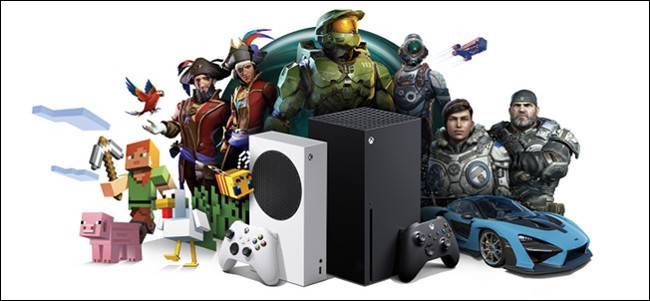
Xbox Series X / S


If I'd known this sale was coming 5 days earlier, could've saved some money :(
 
Same, ordered from ebucks but would really prefer a proper powerful Xbox x or ps5

as someone pointed out, you should have ordered 2 at 40%.. and sold them ... and bought a xbox series x a about 40% off .. maybe a bit less if you don't get to sell them at full price!
 
So this finally arrived yesterday.
Anyone else having issues when display is set to 4k 120fps? The screen goes black and said no source.

Have to power down the console and then go back to lower settings.

Samsung Q70T TV, latest firmware
20201209_121321.jpg
 
So this finally arrived yesterday.
Anyone else having issues when display is set to 4k 120fps? The screen goes black and said no source.

Have to power down the console and then go back to lower settings.

Samsung Q70T TV, latest firmware
View attachment 972786

Nice.

Did you use the included HDMI?

I did read that you have to use the cable supplied with console else you have problems.
 
I am using the HDMI cable that came with it

Check for 120 Hz Support and Enable It​

With your Xbox console turned on, press the Xbox button on your controller, and then use the bumper buttons (LB and RB) to tab across to the “Profile & System” tab. Scroll down and select “Settings,” and then, under “General,” select “TV & Display Options.”

In the menu that appears, select “4K TV Details” to see a list of modes your TV supports. You’re hoping to see ticks next to any descriptions of 120 Hz modes, like “4K UHD (120 Hz)” or “Native 4K at 120 FPS” (on Series X, at least.)

The TV Resolution and Playing Games sections in the 4K TV Display menu on Xbox.


If the Xbox says your TV supports the higher refresh rate, you can now enable 120 Hz. Back out of the “4K TV Details” menu, and then select “Refresh Rate” from the drop-down menu. Select “120 Hz,” and then wait for your display to refresh. If you see the Xbox user interface, everything worked

If you see a black screen instead, your TV unfortunately isn’t supported. If you wait a second, it will default to 60 Hz.


It should work on that tv though I think.
 
New games that were added to Game Pass this week:
  • Call of the Sea (added December 8th, 2020)
  • Monster Sanctuary (added December 8th, 2020)
  • Unto The End (added December 9th, 2020)
  • Assetto Corsa (added December 10th, 2020)
  • Gang Beasts (added December 10th, 2020)
  • GreedFall (added December 10th, 2020)
  • Superhot: Mind Control Delete (added December 10th, 2020)
  • Yooka-Laylee and the Impossible Lair (added December 10th, 2020)
 
  • Like
Reactions: Yuu
TV support is not the issue. The TV has a HDMI 2.1 port and supports 4K @ 120fps

It's either a bug with the Xbox or HDMI chipset on the TV

Edit: seems like a known issue
Link
 
TV support is not the issue. The TV has an HDMI 2.1 port and supports 4K @ 120fps

It's either a bug with the Xbox or HDMI chipset on the TV
I just wonder what the XBox reports it as which is why I posted it. Does it give a green tick next to the 120Hz text?
 
Yes it does
I googled a bit and did find people with Series X's with that tv where it works fine.

It does look like the tv has 3 hdmi ports of which only one is 2.1 but I'm sure you know that.

Also try disabling VRR which fixes it for some people.

What firmware version are you on? I see that 1403 works.
 
I googled a bit and did find people with Series X's with that tv where it works fine.

It does look like the tv has 3 hdmi ports of which only one is 2.1 but I'm sure you know that.

Also try disabling VRR which fixes it for some people.

What firmware version are you on? I see that 1403 works.
Yep, plugged into HDMI 4 which is the 2.1 port.
Also on 1403 update for the TV.

Will try the VRR thing now
 
TV support is not the issue. The TV has a HDMI 2.1 port and supports 4K @ 120fps

It's either a bug with the Xbox or HDMI chipset on the TV

Edit: seems like a known issue
Link
Just saw the vid this morning on Techquickie, some HDMI 2.1 chipsets does have issues.
 
  • Like
Reactions: Yuu
Just saw the vid this morning on Techquickie, some HDMI 2.1 chipsets does have issues.

Yup. Hopefully just a software issue. Else there will be plenty being returned... if it is hardware MS will do a mass recall for a swap.
 
TV support is not the issue. The TV has a HDMI 2.1 port and supports 4K @ 120fps

It's either a bug with the Xbox or HDMI chipset on the TV

Edit: seems like a known issue
Link

Try turning Auto off and setting it to HDMI manually.

Also check that you have the latest firmware on your TV.
 
Top
Sign up to the MyBroadband newsletter
X