


xfce4-screenception:

South Africa’s biggest forum. Discuss, discover, and connect with thousands of members.
i would like to move over to linux full time but it's just not graphics friendly enough yet. so far the audio player that works the best for me is Exaile but i would like to find something closer to MediaMonkey or Foobar (both windows apps). on the graphics app front Inkscape is very good, i use it over adobe illustrator on windows, the gimp however is close to useless as a professional image editor.
uTorrent - Deluge BitTorrent Client
Dos emulator - ScummVM (for those old games)
IDE - Aptana
uGet is an Open Source download manager application for GNU/Linux developed with GTK+, which also comes packaged as a portable Windows app.
uGet uses very few resources while at the same time packs an unparalleled powerful feature set. These features include a Queue, Pause/Resume, Multi-Connection (with adaptive segment management), Mirrors (multi-source), Multi-Protocol, Advanced Categorization, Clipboard Monitor, Batch Downloads, Individualized Category Default Settings, Speed Limiting, Total Active Downloads Control, and so much more!

Nah!!
vi

xfce4-screenshooter is small and does exactly what you want.
http://goodies.xfce.org/projects/applications/xfce4-screenshooter
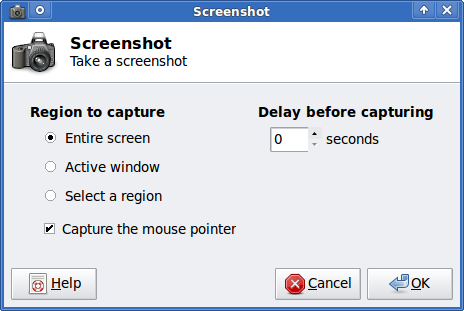
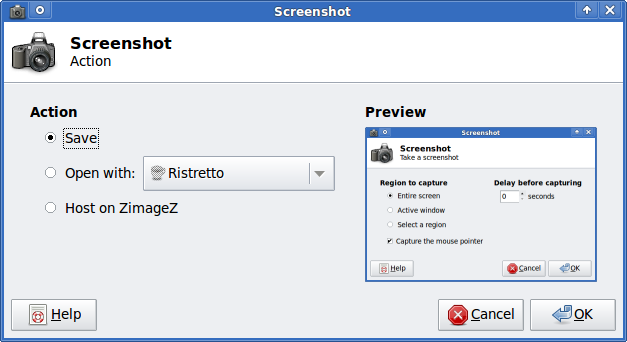
xfce4-screenception:

Sorry I fell for a troll who said it was bad on debianNothing is wrong with skype on debian. its just a process to install.
You need to add the x86 architecture. Download the deb file from skype.com. install it using dpkg and then run apt-get install -f.
Alternatively you can preinstall the requirements for what is needed for skype.


Sorry if i ranted, just had someone the other day installing skype on a debian wheezy desktop and he literally uninstalled all x64 libraries on his system... happens.... but there are still people who can be saved...
I'm tempted to blame the Skype package here.You need to add the x86 architecture. Download the deb file from skype.com. install it using dpkg and then run apt-get install -f.
Alternatively you can preinstall the requirements for what is needed for skype.
Speaking of the Illumos kernel, I absolutely love it. My fileserver is now running OpenIndiana (fork from OpenSolaris) which uses the Illumos kernel, and the stability is rock solid, better than Linux was, and Linux was already great.It happens... There are plenty of those out there...
Generally wise to watch the people who are actually the innovators of the industry.
General purpose use:
BSD = #1
Deebian = #1 Most cases
Kfreebsd = Debian userland with BSD kernel.
Illumos = # Watch that space... these guys will change how cloud services work in the future. Also Illumos is a solaris system using Debians style deployment.
Thats a testimony in itself
Speaking of the Illumos kernel, I absolutely love it. My fileserver is now running OpenIndiana (fork from OpenSolaris) which uses the Illumos kernel, and the stability is rock solid, better than Linux was, and Linux was already great.
ZFS on Illumos is just amazing, the few issues that ZFSonLinux has, is just not there, and no memory wastage.
Also have a bunch of KVM VMs running on top of this OpenIndiana fileserver, which is where I run my Linux and Windows stuff for downloading which I was too lazy to figure out on OpenIndiana. Still, great OS and Kernel for a server, and I can see how they may take over Cloud hosting in the future.
[mick@mick1 ~]$ xpstopdf ./14April.xpsGoogle chrome is also available for Linux but you must get it from the website. So I think you should remove chromium.Great Idea D3x
Here is my list of usable Linux applications:
File/Program Downloader-Manager:
- Synaptic Package Manager
- KGet
Download Accelerator
- axel
File Archiving:
- File Roller
- Ark
Mp3 Players:
- Amarok
- LXMusic Player
CD/DVD Writing Software:
- GnomeBaker
CD Ripper/Encoder -> .mp3, .ogg, .wav, .aac etc.
- Asunder CD Ripper
Media Player
-Xmms/Xmms2
Photo Editing:
- Gimp
Photo Viewer:
- GPicView
Digital Camera editing / Webcam:
- GTKam
- Cheese
- wxCam
DVD Player
- Dragon Player
Office Applications:
- Abiword: Basic Word Processor
Open Office
- Base : Database/Queries Management
- Calc : Spreadsheets
- Draw : Pictures, Flow-Charts and Logos editor
- Impress: Slide Shows, Presentations and Web editing
- Math: Formula's and Equations
- Writer: Edit/Create Documents, Reports, Pictures and Web
Web Browsers:
- Chromium Browser
- Konqueror
- Midori
RSS Feed Reader:
- Akregator
IRC Clients:
- irssi/wee-chat
- KvIRC
- Xchat
Online Storage:
- Dropbox
Mail Reader/Editor:
- Kmail
IM:
- Pidgin
- Kopete
Space/File Cleaner:
- Bleachbit
Cache Proxy:
- Squid
Web Editor:
- Aptana Studio
- Kompozer
- BlueFish
C / C# IDE's:
- Monodevelop
- Anjuta IDE
Java IDE:
- Netbeans
Equivelants:
MySQL -- MySQL
PHP -- PHP
Google Gadgets -- Google Gadgets
FireFox -- FireFox
Opera -- Opera
Google Earth -- Google Earth
Teamviewer -- Teamviewer
Pidgin -- Pidgin