


Kloofvreter
Honorary Master
I see SamMobile has 4.1.2 for XFE, wonder when XFA will be up.
What happens if you flash XFE and I'm on Vodacom? I have downloaded it already.
South Africa’s biggest forum. Discuss, discover, and connect with thousands of members.
I see SamMobile has 4.1.2 for XFE, wonder when XFA will be up.
What happens if you flash XFE and I'm on Vodacom? I have downloaded it already.
I once flashed the wrong version and my cellular connections wouldn't work. Flashes a different version of the modem, methinks...
There is a XFV version available to download as well. How do I tell what I currently have?
XFA is the SA version to the best of my knowledge...

Well that would then be the one that's NOT available to download

Need some advice here. Since flashing CM10.1 I've noticed inordinate battery drain. Had a look at why and this is what it shows:
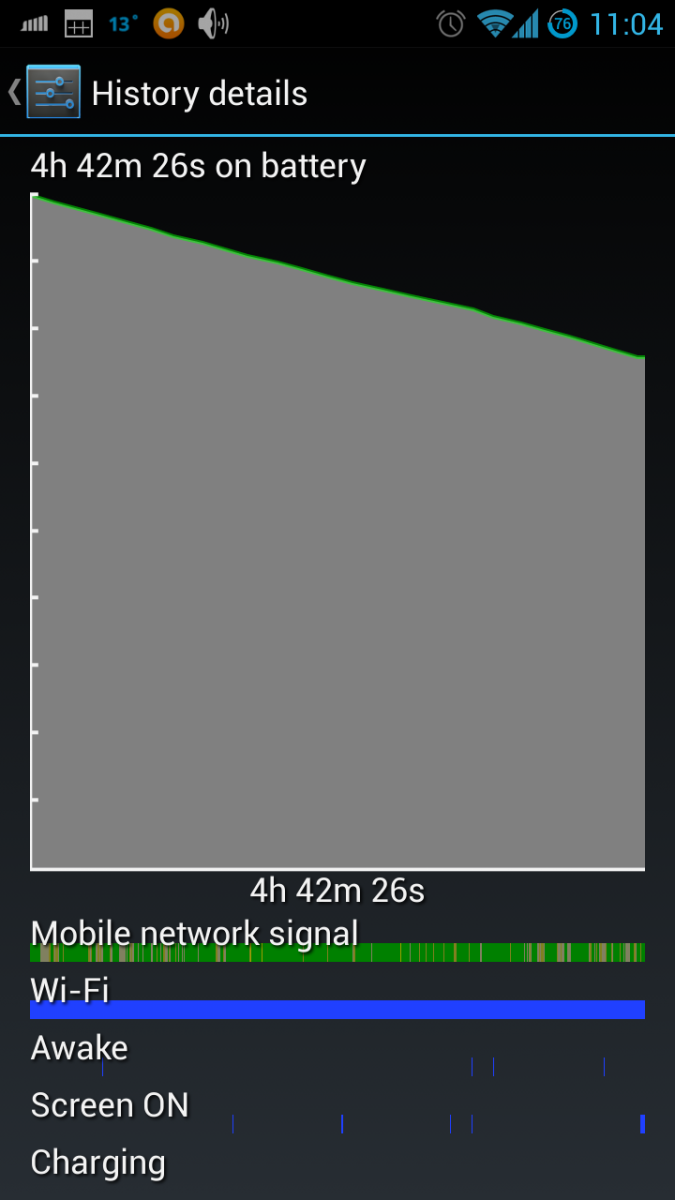
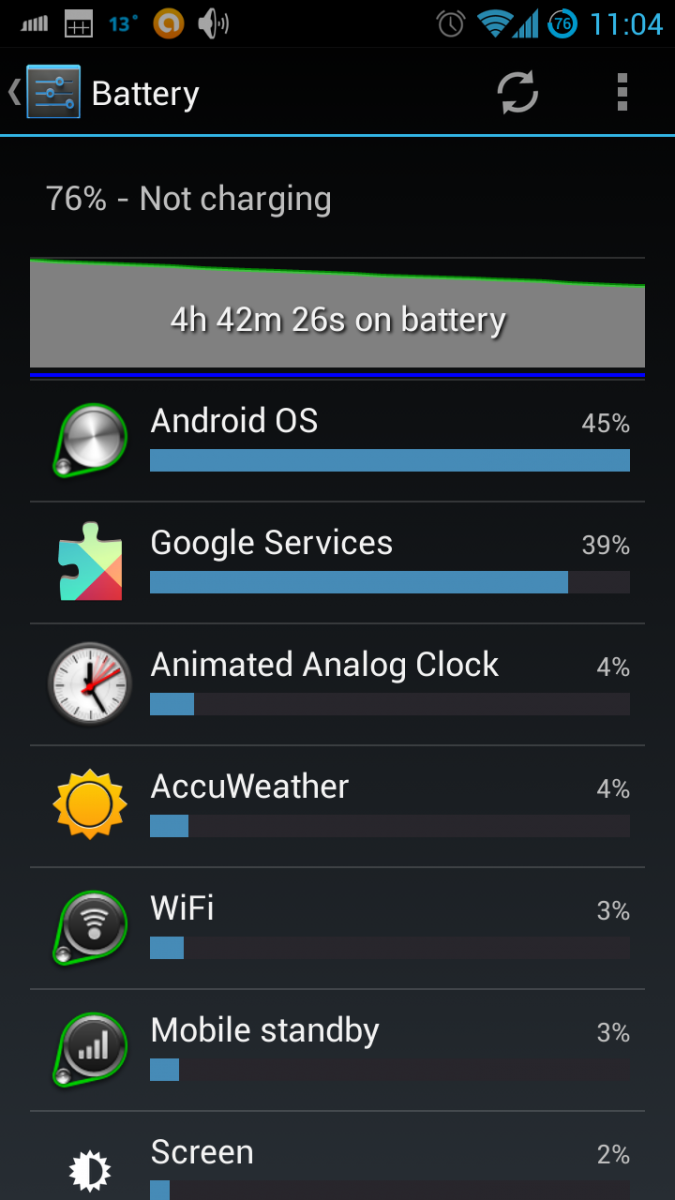
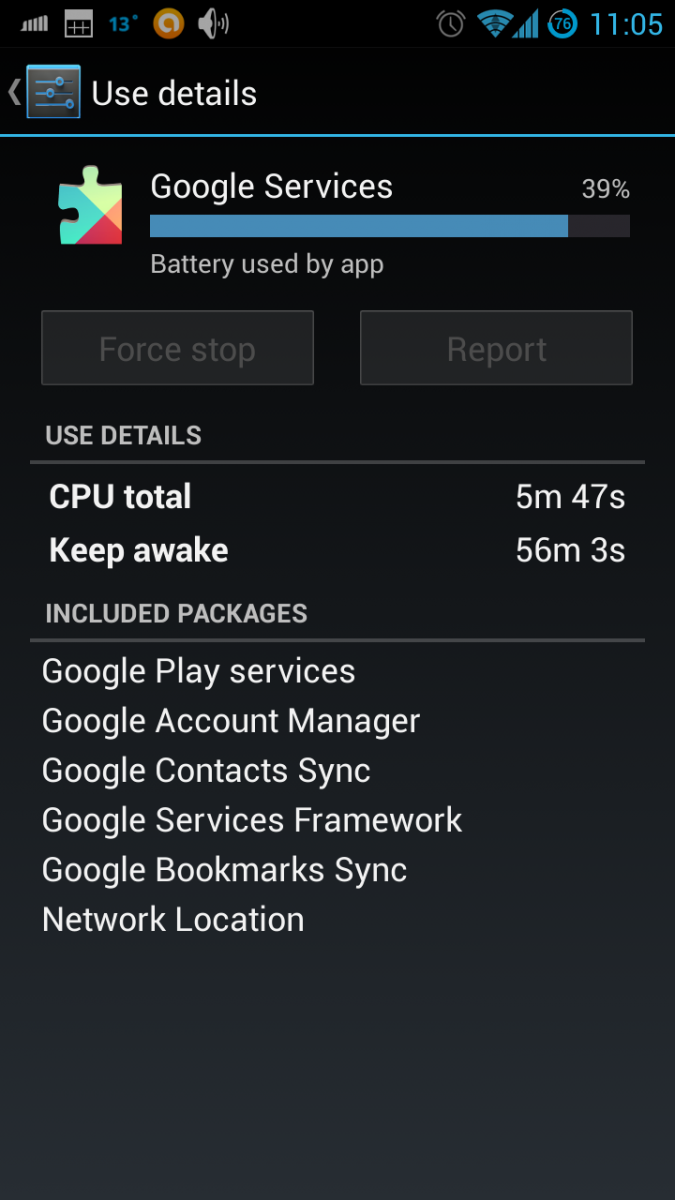
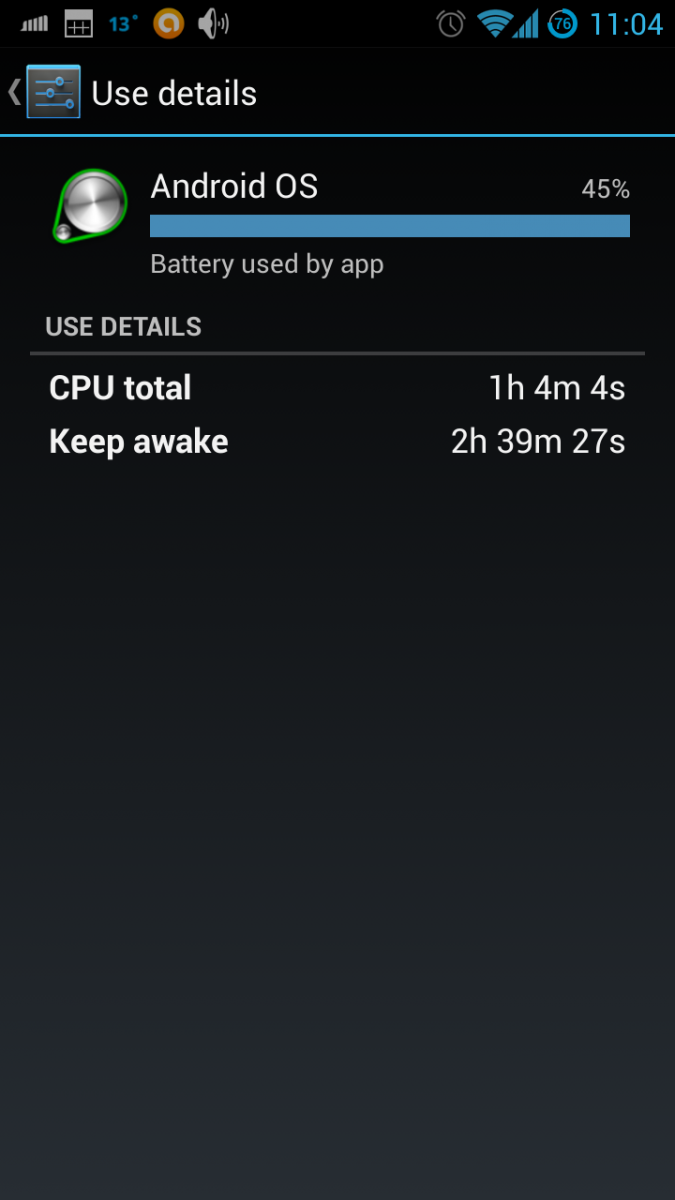
Any ideas what this is and how I can adjust the settings correctly?
No idea if any settings would change the battery drain you are experiencing. The thing to remember though is that CM10.1 is still only experimental nightly builds - so strange / unexpected behavior is par for the course.
No idea, I am still wondering how to tell if I am on XFE or XFA...
Ok I see that kies, tells me that I am on XFA and that I am on the latest XFA (4.1.1)
Ok I see that kies, tells me that I am on XFA and that I am on the latest XFA (4.1.1)
Understandable, but these appear to be Google services that are draining battery. If it is Google Now then I'm happy to switch it off. If it is sync then I need to find a way to schedule sync properly as it seems pointless for google to be constantly syncing my contacts and bookmarks...
Install bbs. Charge to 100% before going to bed. Leave untouched and unplugged for the whole night. Send screenshots and or log, or diy by reading the BBS xda wiki.
What happens if you flash XFE and I'm on Vodacom? I have downloaded it already.
There is a XFV version available to download as well. How do I tell what I currently have?
XFA is the SA version to the best of my knowledge...
I really can't remember which version I downloaded that didn't work with my S3 and I also bought mine overseas, not locally. So I can't be too sure what to recommend necessarily. What I do know is that flashing the wrong ROM won't harm your phone though. If it is the wrong version then simply flash a new ROM...
I'm not 100% sure about this but I do believe that you can download any of the international releases and they will operate just fine. There is no advantage to downloading a custom SA ROM to the best of my knowledge. The US ROMS are the ones you need to steer clear of iirc...

