


I've had both Samsung and Hi-Sense with issues out the box. So I'm not shooting TCL down at all. Their after sales service certainly could do with a bit of work.I'm a fan of TCL but reading this will make me steer away from this brand now.
-
- News
-
Categories
- 5G
- ADSL
- AI
- Banking
- Black Friday
- Broadband
- Broadcasting
- Business
- Business Telecoms
- Cellular
- Cloud and Hosting
- Columns
- Cryptocurrency
- Energy
- Enterprise
- Fibre
- Gadgets
- Gaming
- Government
- Hardware
- Industry News
- Internet
- Internet of Things
- Investing
- IT Services
- Motoring
- Reviews
- Science
- Security
- Smartphones
- Software
- Technology
- Telecoms
- Trending
- Wireless
- Press Office
- Forum
- Industry News
- What's Next
- Company hub
- Speed Test
- About us
- Advertise with us
- Contact
- Careers
-
Join the MyBroadband community
South Africa’s biggest forum. Discuss, discover, and connect with thousands of members.
-
Question of the Day: Which South African brand or product do you wish would make a return?
You are using an out of date browser. It may not display this or other websites correctly.
You should upgrade or use an alternative browser.
You should upgrade or use an alternative browser.
TCL TVs
- Thread starter jamesbondinSA
- Start date

FiestaST
Honorary Master
Would be nice if we could get anything more than the C6K lol.....I see Hisense has finally released the 2025 U range. The U8Q looks pretty impressive. Just waiting for the C8/9K to compare and make a choice between the brands.
WAslayer
Honorary Master
Have you tried making a noise on their twitter/x..? I would say something like your TVs are great but massively let down by terrible after sales support been waiting x time for a resolution now..Pity they have close to zero backup for their product when things go wrong. I’m still waiting and now gatvol of trying to find out what’s going on.
A public statement like that shouldn't go unnoticed I imagine..

Naks
Honorary Master
- Joined
- Jun 3, 2009
- Messages
- 10,117
- Reaction score
- 6,068
My C645 was perfect until they had to change two boards inside it. After that any ball in motion looked like it was split black and white. Would flash like a rotating two-tone ball. Now it is gone because the TV is gone. They replaced it with a C655. That particular problem is no longer there. This picture is a vast improvement.

HAL 9000
Honorary Master
- Joined
- May 27, 2008
- Messages
- 22,362
- Reaction score
- 26,038
HAL 9000
Honorary Master
- Joined
- May 27, 2008
- Messages
- 22,362
- Reaction score
- 26,038
Here's Caleb Denison's review of the TCL QM8K TV Set...
Reviews of the TCL QM8K have been … a little varied. I suppose that makes sense in the early months. But now that this highly desirable TV has been out for a bit, has it settled into a groove that will make you boogie in your seat, or dance out the door? Is it a challenger to the Sony Bravia 9 or the LG G5 OLED? Let's find out.
HAL 9000
Honorary Master
- Joined
- May 27, 2008
- Messages
- 22,362
- Reaction score
- 26,038
Here's the official TCL website descriptions for both the P8K & the QM8K models... looks like they are two different model ranges... 
65P8K (SA model)

 www.tcl.com
65QM8K (US model)
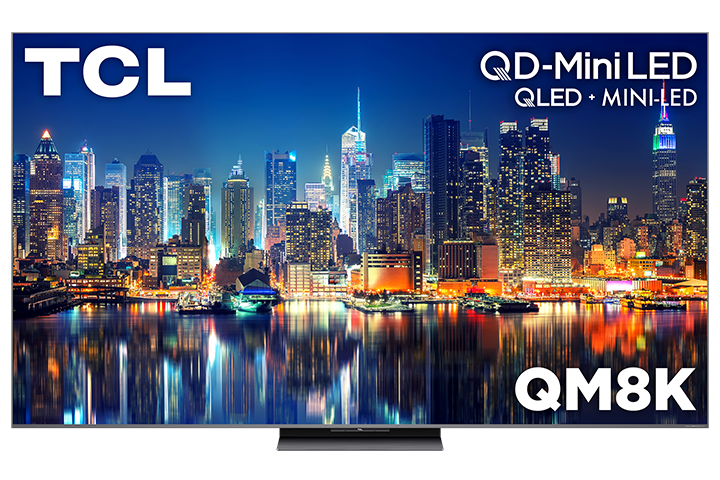
 www.tcl.com
65P8K (SA model)
TCL P8K QLED TV
- · QLED
- · 144Hz Native Refresh Rate
- · ONKYO 2.1 Hi-Fi System
- · AiPQ Pro Processor
- · HVA Panel
- · Slim & Uni-body
TCL P8K-QLED TV-55/65/75/85 Inch TV
Experience stunning visuals with the TCL P8K QLED TV, featuring 144Hz Native Refresh Rate, ONKYO 2.1 Hi-Fi System, AiPQ Pro Processor and HVA panel.
www.tcl.com
65QM8K (US model)
TCL 65" QM8K Series QD-Mini LED QLED 4K UHD Smart TV with Google TV – 65QM8K
- QD-Mini LED
- TCL Halo Control System
- Up to LD3800 Precise Dimming
- High HDR5000 Brightness
- CrystGlow WHVA Panel
- Enhanced QLED
- 4K UltraHD Resolution
- 144Hz Native Refresh Rate
- Game Accelerator 288
- TCL AIPQ PRO Processor
- Motion Rate 480 with MEMC Frame Insertion
- Filmmaker Mode
- HDR ULTRA with Dolby Vision IQ, HDR10+, HDR10, & HLG
- Audio by BANG & OLUFSEN
- Dolby Atmos Audio
- ATSC 3.0 NextGen TV Digital Tuner
- IMAX Enhanced Certification
- Auto Game Mode (ALLM) with AMD FreeSync Premium Pro
- Ultra Slim Design
- Google TV Smart OS with Hands-Free Voice Control and Backlit Voice Remote
- Bluetooth Personal Audio
- 4 HDMI Inputs including one with eARC
- Wi-Fi 6
- Google Chromecast Built-in
- Apple AirPlay 2
- Works with: Amazon Alexa, Google Assistant, Apple HomeKit
TCL 65" QM8K Series QD-Mini LED QLED 4K UHD Smart TV with Google TV – 65QM8K | TCL USA
The TCL QM8K Series combines stunning visuals and accurate, immersive sound. With LD3800 Precise Dimming Series, up to HDR5000 Brightness, 144Hz Refresh Rate, Game Accelerator 288 and AIPQ Processor PRO, it delivers exceptional clarity, smooth gameplay, and vibrant colors like never before.
www.tcl.com
Naks
Honorary Master
- Joined
- Jun 3, 2009
- Messages
- 10,117
- Reaction score
- 6,068
From https://www.rtings.com/tv/reviews/tcl/qm8kSorry if this has been asked before, what is the equivalent of the QM8K here in South Africa?
I'm guessing the P8K? Or are the P8K and QM8K two completely different models?
"In Europe, it's sold as the TCL C8K, but given the significant differences in the software and tuning of the TV, our review isn't valid for that model."

netstrider
Executive Member
- Joined
- Nov 1, 2006
- Messages
- 5,846
- Reaction score
- 4,905
Got the C6K over the weekend. Seems fine to me although there was insane tearing near bottom of the screen. Had to disable some motion smoothness setting which is on medium by default. Tearing problem is solved now.
Plugged in my laptop via HDMI and only get 120Hz although it's advertised at 144Hz. Not sure if it's my HDMI output or the cable that's the issue here.
Will test it again once my PC arrives from Wootware.
Plugged in my laptop via HDMI and only get 120Hz although it's advertised at 144Hz. Not sure if it's my HDMI output or the cable that's the issue here.
Will test it again once my PC arrives from Wootware.

Lupus
Honorary Master
- Joined
- Apr 25, 2006
- Messages
- 91,671
- Reaction score
- 62,258
Might be a restriction on the laptops hdmi portGot the C6K over the weekend. Seems fine to me although there was insane tearing near bottom of the screen. Had to disable some motion smoothness setting which is on medium by default. Tearing problem is solved now.
Plugged in my laptop via HDMI and only get 120Hz although it's advertised at 144Hz. Not sure if it's my HDMI output or the cable that's the issue here.
Will test it again once my PC arrives from Wootware.
netstrider
Executive Member
- Joined
- Nov 1, 2006
- Messages
- 5,846
- Reaction score
- 4,905
Just plugged the laptop into another monitor and I get 144Hz over HDMI so I doubt it.Might be a restriction on the laptops hdmi port
netstrider
Executive Member
- Joined
- Nov 1, 2006
- Messages
- 5,846
- Reaction score
- 4,905
My suspicion is that some console (PS/Xbox) mode may be enabled or I think the first HDMI port on the TV may be "reserved" for that.
Lupus
Honorary Master
- Joined
- Apr 25, 2006
- Messages
- 91,671
- Reaction score
- 62,258
Actually that might be it, port specificMy suspicion is that some console (PS/Xbox) mode may be enabled or I think the first HDMI port on the TV may be "reserved" for that.
thunder&milkshakes
Well-Known Member
- Joined
- Nov 21, 2014
- Messages
- 194
- Reaction score
- 37
Yoh still no C7K or C8K in South Africa...I don't understand, why the delay? Been waiting for so long so now 