


If going this route, then also check that the camera supports switching off IR leds. Mine does not.Yip, thanks, aware of it. Picked it up in the following video. See from 1:00 onwards.
-
- News
-
Categories
- 5G
- ADSL
- AI
- Banking
- Black Friday
- Broadband
- Broadcasting
- Business
- Business Telecoms
- Cellular
- Cloud and Hosting
- Columns
- Cryptocurrency
- Energy
- Enterprise
- Fibre
- Gadgets
- Gaming
- Government
- Hardware
- Industry News
- Internet
- Internet of Things
- Investing
- IT Services
- Motoring
- Reviews
- Science
- Security
- Smartphones
- Software
- Technology
- Telecoms
- Trending
- Wireless
- Press Office
- Forum
- Industry News
- What's Next
- Company hub
- Speed Test
- About us
- Advertise with us
- Contact
- Careers
-
Join the MyBroadband community
South Africa’s biggest forum. Discuss, discover, and connect with thousands of members.
-
Question of the Day: Do you get motion sick?
You are using an out of date browser. It may not display this or other websites correctly.
You should upgrade or use an alternative browser.
You should upgrade or use an alternative browser.
WiFi security cameras
- Thread starter Ishisheean
- Start date

The Xiaomi cameras are... Chinese, crap software, unreliable and no RSTP feed so locked down to Chinese app.Any opinion on the Xiaomi cameras?

Mi 360° Home Security Camera 2K Pro | Xiaomi | Mobile In Africa
The dual motor head enables the Xiaomi Mi 360° Home Security Camera 2K Pro to rotate and capture a full 360° horizontal view and 118° vertical view.mia.africa.com
And :
Mi Home Security Camera 360° 1080P - Mobile In Africa
All-round protection in Full High-Definition videomia.africa.com
Looking to put it in a window facing outside, and not interested in getting a proper outdoor camera like the EzViz Husky Air. Easier to power etc.
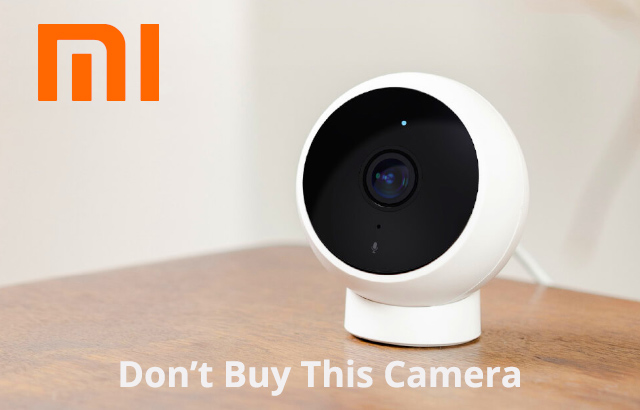
Xiaomi Mijia 1080P 170 Degree Smart IP Camera With AI Human Detection
I know this review is long, but I wanted to include all the details to help you decide. This smart security camera from Xiaomi had so much going for it, I still believe there a route for Xiaomi to redeem themselves and make this camera available to its full potential by issuing a firmware update...
 erikthiart.com
I ordered the 2K version of this camera that got released a month ago, will see if they made improvements.

joshuatree
Expert Member
- Joined
- Jul 2, 2012
- Messages
- 3,890
- Reaction score
- 1,263
I have read the review.The Xiaomi cameras are... Chinese, crap software, unreliable and no RSTP feed so locked down to Chinese app.
Xiaomi Mijia 1080P 170 Degree Smart IP Camera With AI Human Detection
I know this review is long, but I wanted to include all the details to help you decide. This smart security camera from Xiaomi had so much going for it, I still believe there a route for Xiaomi to redeem themselves and make this camera available to its full potential by issuing a firmware update...
I ordered the 2K version of this camera that got released a month ago, will see if they made improvements.
And had a look here regarding RSTP stream and camera brands:
Real-Time Streaming Protocol (RTSP) for Every Brand | SCW
Check out Security Camera Warehouse for RTSP directions for every manufacturer and brand you need. Learn all the basics of Real-Time Streaming Protocol here.
EzViz RTSP Stream (Cameras & NVR)
EZviz cameras are designed to work exclusively with the EZViz applications - thus RTSP and third party access is extremely limited if not completely unavailable.
Arlo RTSP Stream
Like most battery/cloud cameras Arlo does not support an RTSP stream as the video feed is directly sent to Cloud servers.
Blink RTSP stream
Like most battery/cloud cameras Blink does not support an RTSP stream as the video feed is directly sent to Cloud servers.
Ring RTSP stream
Like most battery/cloud cameras Blink does not support an RTSP stream as the video feed is directly sent to Cloud servers.
------
It seems that the types of cameras, budget wise and brand wise, I am looking at won't have RTSP stream. This probably includes TP-Link then as well.
EZVIZ , TP-link , Wyze, Xiaomi are options at this stage.
I have read the review.
And had a look here regarding RSTP stream and camera brands:
Real-Time Streaming Protocol (RTSP) for Every Brand | SCW
Check out Security Camera Warehouse for RTSP directions for every manufacturer and brand you need. Learn all the basics of Real-Time Streaming Protocol here.www.getscw.com
EzViz RTSP Stream (Cameras & NVR)
EZviz cameras are designed to work exclusively with the EZViz applications - thus RTSP and third party access is extremely limited if not completely unavailable.
Arlo RTSP Stream
Like most battery/cloud cameras Arlo does not support an RTSP stream as the video feed is directly sent to Cloud servers.
Blink RTSP stream
Like most battery/cloud cameras Blink does not support an RTSP stream as the video feed is directly sent to Cloud servers.
Ring RTSP stream
Like most battery/cloud cameras Blink does not support an RTSP stream as the video feed is directly sent to Cloud servers.
------
It seems that the types of cameras, budget wise and brand wise, I am looking at won't have RTSP stream. This probably includes TP-Link then as well.
EZVIZ , TP-link , Wyze, Xiaomi are options at this stage.
Look at Uniview
They have rock-solid PTZ WiFi cameras and doorbell cameras.
All these side brands, EZVIZ , TP-link , Wyze, Xiaomi are cat monitors IMO. They all fail the security test (ie a robber / rapist / murder just need to steal your camera or take out the SD card, because you have no other recording, or what typically happens, the SD card breaks as it is not designed for continues recording.)
The only exception in this price range (under $60 per camera) is Sonoff as it allows RTSP.
Arlo, Blink, Ring and EZviz would have been amazing if their cloud services worked, the issue is, it is US only, you as a South African, cannot get access to their cloud recording functionality.
joshuatree
Expert Member
- Joined
- Jul 2, 2012
- Messages
- 3,890
- Reaction score
- 1,263
https://www.tp-link.com/za/support/faq/2680/
How can I play an RTSP live stream of my Tapo camera
Configuration Guide
Updated 02-18-2021 09:13:31 AM[https://static]284349
This Article Applies to:
The Tapo camera supports the RTSP protocol, so it can work with third-party NVR or NAS devices that also support the RTSP protocol. If a user wants to view the live stream of the camera with a third-party app like VLC Player, he will just need to input the URL of the RTSP stream on the VLC Player app.
The URL of the RTSP live stream for the Tapo cameras will be:
For a 1080P (1920*1080) stream1: rtsp://username assword@IP Address:554/stream1
For a 360P (640*360) stream2: rtsp://usernameassword@IP Address:554/stream2
Notes:
1. The username/password is the camera account that you created via the Tapo app.
2. The IP address is the camera’s IP address assigned by your host router. You can find it on your host router’s DHCP list or in the Tapo app (Go to Camera Settings and navigate to the camera details page).
3. If you want to view the live stream of the Tapo camera with a third-party app remotely, you will need to open port 554 for the camera on your host router first.
4. You could also use ONVIF standards to add the Tapo camera with its username/password and IP address.
5. For Tapo C310, the resolution of the tream1 is determined by the video quality set on the Tapo APP.
If you need to watch the 3MP HD Video via RTSP, please change the video quality to Best Quality on the Tapo APP and use: rtsp://usernameassword@IP Address:554/stream1
Apart from the Tapo app, Tapo cameras can work with other third-party software to use and manage your Tapo camera.
FAQ:

 www.tapo.com
-----------
There is more how-to info in the link.
Think I am sold on the Tp-Link Tapo cameras for ease of use, security, and proper updates etc.
How can I play an RTSP live stream of my Tapo camera
Configuration Guide
Updated 02-18-2021 09:13:31 AM[https://static]284349
This Article Applies to:
The Tapo camera supports the RTSP protocol, so it can work with third-party NVR or NAS devices that also support the RTSP protocol. If a user wants to view the live stream of the camera with a third-party app like VLC Player, he will just need to input the URL of the RTSP stream on the VLC Player app.
The URL of the RTSP live stream for the Tapo cameras will be:
For a 1080P (1920*1080) stream1: rtsp://username
assword@IP Address:554/stream1For a 360P (640*360) stream2: rtsp://username
assword@IP Address:554/stream2Notes:
1. The username/password is the camera account that you created via the Tapo app.
2. The IP address is the camera’s IP address assigned by your host router. You can find it on your host router’s DHCP list or in the Tapo app (Go to Camera Settings and navigate to the camera details page).
3. If you want to view the live stream of the Tapo camera with a third-party app remotely, you will need to open port 554 for the camera on your host router first.
4. You could also use ONVIF standards to add the Tapo camera with its username/password and IP address.
5. For Tapo C310, the resolution of the tream1 is determined by the video quality set on the Tapo APP.
If you need to watch the 3MP HD Video via RTSP, please change the video quality to Best Quality on the Tapo APP and use: rtsp://username
assword@IP Address:554/stream1Apart from the Tapo app, Tapo cameras can work with other third-party software to use and manage your Tapo camera.
FAQ:
General questions about Tapo Cameras | Tapo
Part 1:Installation Related Q1: Which devices and OS versions are compatible with the Tapo App? A: Please download and update the latest version
-----------
There is more how-to info in the link.
Think I am sold on the Tp-Link Tapo cameras for ease of use, security, and proper updates etc.
Last edited:
joshuatree
Expert Member
- Joined
- Jul 2, 2012
- Messages
- 3,890
- Reaction score
- 1,263
Any feedback available on the Connex Connect cameras available at Incredible Connection etc?
Google assistant is available through their app, but can one cast the camera feed to a Chromecast then with only a casting button, I don't see anything in their app that might suggest this?
Can one turn off the automatic switchover to IR led during night time?
This is PTZ camera is on special for R799:

 www.incredible.co.za
Google assistant is available through their app, but can one cast the camera feed to a Chromecast then with only a casting button, I don't see anything in their app that might suggest this?
Can one turn off the automatic switchover to IR led during night time?
This is PTZ camera is on special for R799:
Connex Smart WiFi 1080p PTZ Camera
1080p High definition camera Monitor video feed remotely via App 10m Infrared night vision Record video and audio on a SD card Pan tilt and zoom camera using App Motion-audio detection alerts via App 2-Way audio intercom 12 Month warranty
www.incredible.co.za
Sensorei
Executive Member
You're much better off buying the new Wyze cam v3... Only R895 from Geewiz.Any feedback available on the Connex Connect cameras available at Incredible Connection etc?
Google assistant is available through their app, but can one cast the camera feed to a Chromecast then with only a casting button, I don't see anything in their app that might suggest this?
Can one turn off the automatic switchover to IR led during night time?
This is PTZ camera is on special for R799:
Connex Smart WiFi 1080p PTZ Camera
1080p High definition camera Monitor video feed remotely via App 10m Infrared night vision Record video and audio on a SD card Pan tilt and zoom camera using App Motion-audio detection alerts via App 2-Way audio intercom 12 Month warranty

airborne
Honorary Master
- Joined
- Jul 13, 2007
- Messages
- 29,695
- Reaction score
- 16,055
Those don't do PTZ though?You're much better off buying the new Wyze cam v3... Only R895 from Geewiz.
airborne
Honorary Master
- Joined
- Jul 13, 2007
- Messages
- 29,695
- Reaction score
- 16,055
These cheap and cheerful weird brand Chinese cameras work really well except they all have to use their dodgy bodged apps and I'm assuming also their crappy backend servers located in some far off building in China with throttled data connections.
Is there any why to hack these cameras or otherwise use them with different services so you can utilise their decent hardware with a decent app/backend?
Is there any why to hack these cameras or otherwise use them with different services so you can utilise their decent hardware with a decent app/backend?
joshuatree
Expert Member
- Joined
- Jul 2, 2012
- Messages
- 3,890
- Reaction score
- 1,263
How do you use the Wyze Cam V3 in your personal capacity, regarding the following:You're much better off buying the new Wyze cam v3... Only R895 from Geewiz.
" When the V3 detects motion or sound, it will record a 12-second clip and store it in the cloud for free for 14 days, but there’s a 5-minute cooldown period between events in which the camera will not record. However, if you install a 32GB microSD card (not included), you can enable 24-hour continuous recording that allows you to view images in a time-lapse mode.
The camera also supports person detection, and will soon support vehicle, package, and animal detection, but you’ll need a Wyze Cam Plus subscription to access these features. For $1.25 per month, Cam Plus gives you the above-mentioned intelligent motion detection features as a 14-day history of full-length video for as long as the motion lasts, with no cooldown period. "
---------------
Recording continuously on a SD card is convenient and possible on a lot of other cameras like the Tapo & EZVIZ ranges, without any cloud subscription.
Sensorei
Executive Member
I have 5 cameras but only pay the $15 per year subscription for 2 the cameras covering my front yard and back garden. The person detection works well and the night vision is excellent. Person detection has improved a lot since it was first introduced as is quite impressive with minimal light.How do you use the Wyze Cam V3 in your personal capacity, regarding the following:
" When the V3 detects motion or sound, it will record a 12-second clip and store it in the cloud for free for 14 days, but there’s a 5-minute cooldown period between events in which the camera will not record. However, if you install a 32GB microSD card (not included), you can enable 24-hour continuous recording that allows you to view images in a time-lapse mode.
The camera also supports person detection, and will soon support vehicle, package, and animal detection, but you’ll need a Wyze Cam Plus subscription to access these features. For $1.25 per month, Cam Plus gives you the above-mentioned intelligent motion detection features as a 14-day history of full-length video for as long as the motion lasts, with no cooldown period. "
---------------
Recording continuously on a SD card is convenient and possible on a lot of other cameras like the Tapo & EZVIZ ranges, without any cloud subscription.
My dogs, the neighbours cat and birds no longer set off the motion detection notifications outside but if someone walks the notification is triggered. I have hooked up the cameras with IFTTT and Alexa so that if a person is detected after 1:30am then Alexa says, "Intruder detected! Armed response has been notifed" a few times over a speaker and the driveway and garden lights start flashing. The v3 cams are set up to sound the built in siren for 30 seconds as well. These cameras record as long as motion is detected after the initial trigger.
I am fine with the other 3 cameras inside the house recording 12 second clips. I have memory cards in them anyway and they record 24/7.
airborne
Honorary Master
- Joined
- Jul 13, 2007
- Messages
- 29,695
- Reaction score
- 16,055
What does $15/pa get you?I have 5 cameras but only pay the $15 per year subscription for 2 the cameras covering my front yard and back garden. The person detection works well and the night vision is excellent. Person detection has improved a lot since it was first introduced as is quite impressive with minimal light.
My dogs, the neighbours cat and birds no longer set off the motion detection notifications outside but if someone walks the notification is triggered. I have hooked up the cameras with IFTTT and Alexa so that if a person is detected after 1:30am then Alexa says, "Intruder detected! Armed response has been notifed" a few times over a speaker and the driveway and garden lights start flashing. The v3 cams are set up to sound the built in siren for 30 seconds as well. These cameras record as long as motion is detected after the initial trigger.
I am fine with the other 3 cameras inside the house recording 12 second clips. I have memory cards in them anyway and they record 24/7.
I'm assuming that's per camera?
joshuatree
Expert Member
- Joined
- Jul 2, 2012
- Messages
- 3,890
- Reaction score
- 1,263
FYI : EZVIZ free cloud trial for 7 days, for a C1C B camera, is working for me - without any VPN. I just clicked on the free trial and it worked without going through any hoops. South Africa was selected as my region with the EZVIZ account for login/camera - can't remember where I selected it.Look at Uniview
They have rock-solid PTZ WiFi cameras and doorbell cameras.
All these side brands, EZVIZ , TP-link , Wyze, Xiaomi are cat monitors IMO. They all fail the security test (ie a robber / rapist / murder just need to steal your camera or take out the SD card, because you have no other recording, or what typically happens, the SD card breaks as it is not designed for continues recording.)
The only exception in this price range (under $60 per camera) is Sonoff as it allows RTSP.
Arlo, Blink, Ring and EZviz would have been amazing if their cloud services worked, the issue is, it is US only, you as a South African, cannot get access to their cloud recording functionality.
It works quite nicely. I will however just insert a SD card after the trial. Not sure if Cloud subscription would work after the trial if wanting to go that route.
Now enter your card details.FYI : EZVIZ free cloud trial for 7 days, for a C1C B camera, is working for me - without any VPN. I just clicked on the free trial and it worked without going through any hoops. South Africa was selected as my region with the EZVIZ account for login/camera - can't remember where I selected it.
It works quite nicely. I will however just insert a SD card after the trial. Not sure if Cloud subscription would work after the trial if wanting to go that route.
the trial is available everwhere from my understanding
It will be amazing if SA is added as region, what does the app say in pricing, is it ZAR based?

3Gee
Executive Member
- Joined
- Jul 16, 2005
- Messages
- 5,654
- Reaction score
- 1,706
I'm using the Aqara G2H , it's a indoor camera which i have pointing outdoors into the road through a glass window, not the best pic quality due to reflections but it works very well with person notifications and Apple Homekit Secure with a set detection zone.
That is Xiaomi right?Aqara G2H
3Gee
Executive Member
- Joined
- Jul 16, 2005
- Messages
- 5,654
- Reaction score
- 1,706
That is Xiaomi right?
I think it's similar if not the same thing.
joshuatree
Expert Member
- Joined
- Jul 2, 2012
- Messages
- 3,890
- Reaction score
- 1,263
This is what I get. Still have three days left of the 7 days. Only starting now to explore functionality settings - I see there are person detection etc, not sure if AI works either way with this specific camera and without subscription.Now enter your card details.
the trial is available everwhere from my understanding
It will be amazing if SA is added as region, what does the app say in pricing, is it ZAR based?
It was between the EZVIZ, Tapo, Wyze Cam V3, and Xiaomi ranges for me. Wyze Cam V3 has the Starlight sensor which gives amazing view with only ambient light at night, Xiaomi 2K Pro has AI, Tapo works very easily with a Chromecast etc.
After a lot of research I chose EZVIZ - in the long run it might have less glitches and the better app I think - my personal opinion. I played it easily enough on the Chromecast through Google Assistant. I like the fact that I could walk into a Builders Warehouse and buy it. I will get more and maybe an outside one with AI.
I use the magnetic base of the EZVIZ C1C B camera to attach to a burglar bar in a window facing outside - it works at night with an outside LED cool white Flood Light on, and even better with the IR on for some reason without any glare - I suspect with just IR on, and no light there will be glare. H.265 compression for this camera and a 256GB SD card capable.
I like the app, quite comprehensive, and it just works.

If the cloud recording works then I will convert immediately. Ezviz is nice, not nearly as good picture quality as Uniview, but I'd take vandal resistant recordings over 4K image quality.This is what I get. Still have three days left of the 7 days. Only starting now to explore functionality settings - I see there are person detection etc, not sure if AI works either way with this specific camera and without subscription.
It was between the EZVIZ, Tapo, Wyze Cam V3, and Xiaomi ranges for me. Wyze Cam V3 has the Starlight sensor which gives amazing view with only ambient light at night, Xiaomi 2K Pro has AI, Tapo works very easily with a Chromecast etc.
After a lot of research I chose EZVIZ - in the long run it might have less glitches and the better app I think - my personal opinion. I played it easily enough on the Chromecast through Google Assistant. I like the fact that I could walk into a Builders Warehouse and buy it. I will get more and maybe an outside one with AI.
I use the magnetic base of the EZVIZ C1C B camera to attach to a burglar bar in a window facing outside - it works at night with an outside LED cool white Flood Light on, and even better with the IR on for some reason without any glare - I suspect with just IR on, and no light there will be glare. H.265 compression for this camera and a 256GB SD card capable.
I like the app, quite comprehensive, and it just works.
View attachment 1119672
Cloud recording is the future. I wish Uniview would offer the ability natively, but for now they do allow me to record via RTSP to my own server, but you lose the AI functionality.
So very keen on your experience if cloud is in fact available in SA.
joshuatree
Expert Member
- Joined
- Jul 2, 2012
- Messages
- 3,890
- Reaction score
- 1,263
2x TP-LINK Tapo C100 at Cash Converters Cape Gate for R299 each - saw it in the window walking past.
If anybody is interested. Thought it is not bad, can maybe negotiate further, not sure how they operate at Cash Converters.
Edit: This was Wednesday afternoon.
If anybody is interested. Thought it is not bad, can maybe negotiate further, not sure how they operate at Cash Converters.
Edit: This was Wednesday afternoon.