Windows 11 Support Thread

But can it run Minecraft?
AI Overview

For Minecraft Java Edition, the minimum PC requirements are generally an Intel Core i3-3210 or AMD A8-7600, 4GB RAM, integrated Intel HD Graphics 4000 or AMD Radeon R5 series, and at least 1GB of HDD space for the game and files, running on Windows 7 or later.

For a smoother, more enjoyable experience, especially with mods or shaders, recommended specs are an Intel Core i5-4690 or AMD A10-7800, 8GB RAM, a GeForce 700 series or AMD Radeon RX 200 series graphics card, and more storage.
 
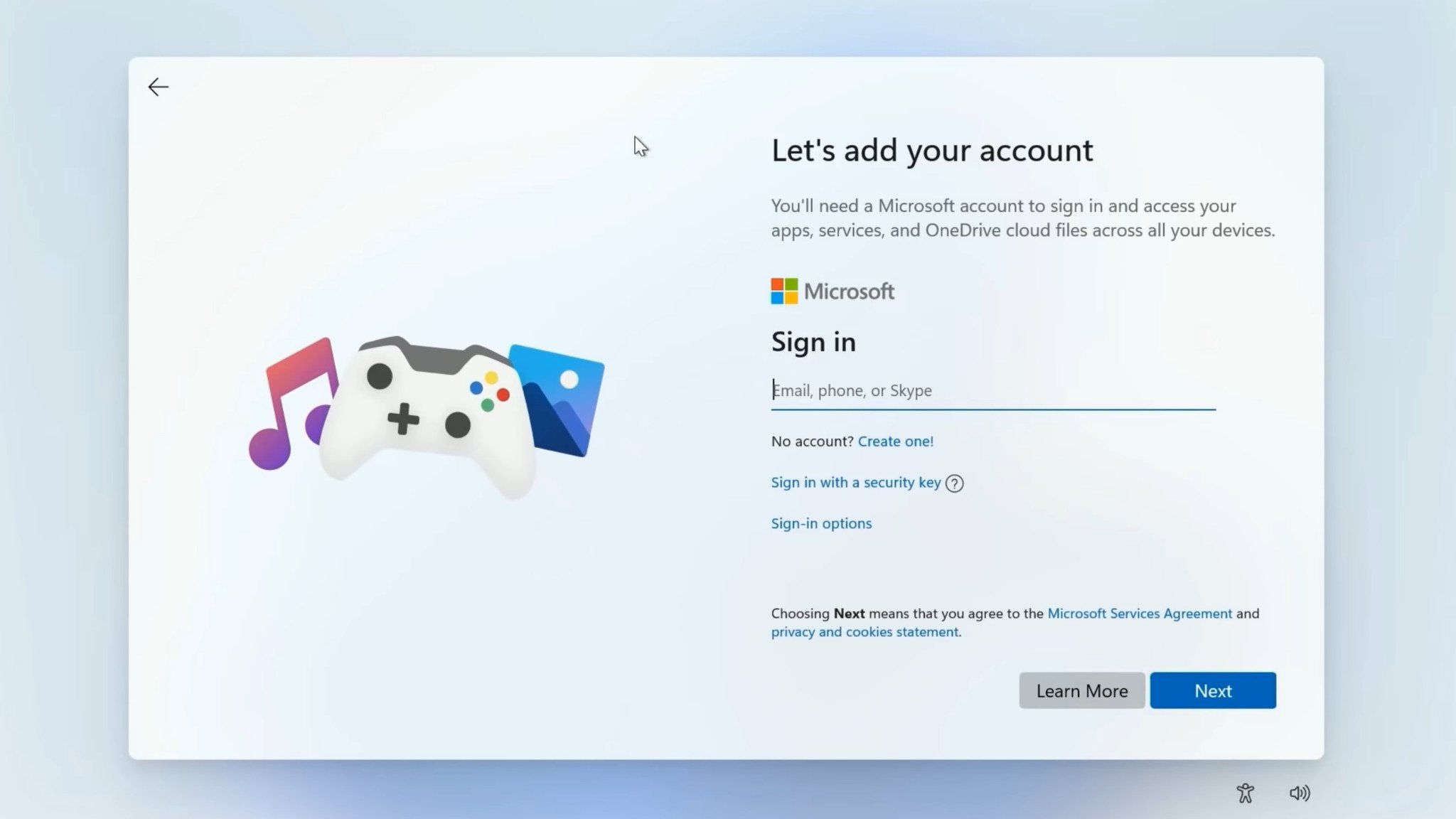
That's the thing ... they want to actually take away that option that you could click "I have no internet" ... they want to force you to have internet
There are large parts of the world that literally have no internet. They will be cutting off a huge swath of users if they try to enforce that.
 
Do what I did yesterday to upgrade my Windows 10 Pro laptop (Intel i3 5th Gen CPU) that I bought in 2015...:

AI Overview

To use Rufus for a Windows 11 installation, download the latest Windows 11 ISO file from Microsoft and the Rufus tool from Rufus, then run Rufus, insert an 8GB+ USB drive, select the Windows 11 ISO and the appropriate partition scheme (GPT), and click "Start" to create the bootable drive.

The process will erase the USB drive and create the installation files, which you can then use to boot your computer and install Windows 11.

Step-by-Step Guide
  1. Download files: Go to the official Microsoft download page to download the Windows 11 ISO file. Then, download the latest version of Rufus from the official Rufus website.

  2. Connect USB drive: Insert a USB drive with at least 8GB of storage into your computer.

  3. Launch Rufus: Run the Rufus application. It doesn't require installation.

  4. Select USB drive: In Rufus, select the correct USB drive from the "Device" dropdown menu.

  5. Select ISO file: Under "Boot selection," choose "Disk or ISO image," then click the "Select" button to browse for and select your downloaded Windows 11 ISO file.

  6. Choose partition scheme: For a standard Windows installation, use the default "Windows standard installation" in the "Image option" section. Then, select the correct partition scheme for your PC (usually GPT for modern computers).

  7. Start the process: Click the "Start" button.

  8. Customize options (Optional): Rufus may present a "Windows user experience" window offering options to remove Windows 11 hardware requirements (like TPM 2.0 and Secure Boot) or to bypass the Microsoft account requirement, which you can customize.

  9. Confirm data loss: A warning will appear, confirming that all data on the USB drive will be erased. Double-check that you have selected the correct USB drive.

  10. Wait for completion: Click "OK" to start the process. Rufus will format the USB drive and copy the Windows 11 installation files. When it displays "Ready," the bootable USB drive is complete.

  11. Install Windows 11: Reboot your computer and select the USB drive as your boot device (or just navigate to the USB drive & double-click the setup.exe file whilst you are still in Windows 10) to start the Windows 11 installation process.
View attachment 1853802

It's now busy installing the 2025-09 Cumulative Update Preview for Windows 11 25H2 (KB5065789)... ;)

View attachment 1853803
Until MS decides "screw you" ? Can you register it or will it have a watermark?
 
It is an in-place upgrade which keeps all your existing files & apps - so it validates the Windows 11 install by using your existing Windows 10 license key credentials... ;)
Lekker lekker! Haven't used my PC once this year. Might just start it up again and see if it all works. Wife's PC also need an upgrade.
 
I will keep watching
giphy.gif
 
when is the NEW Face lift for The Start Menu 25H2?
AI Overview
The Windows 11 25H2 update, which includes the new Start menu redesign, began rolling out on September 30, 2025, though availability is in controlled waves, so not everyone receives it at once.

This update for the Start menu is not tied to the version number exclusively, as many new Start menu features were already being rolled out to version 24H2 and are also part of the 25H2 update.
 
There are large parts of the world that literally have no internet. They will be cutting off a huge swath of users if they try to enforce that.
This Youtuber tested them all, including internet disconnect ... no go ....


This is gonna make "pre-setup" of machines a nightmare ... many people(workers) don't have their own company e-mail for the machine they're working on. :mad: :mad:

I even have clients on machines that don't have internet ... never had & never will ... what a fnckup
 
Last edited:
This Youtuber tested them all, including internet disconnect ... no go ....


This is gonna make "pre-setup" of machines a nightmare ... many people(workers) don't have their own company e-mail for the machine they're working on. :mad: :mad:

I even have clients on machines that don't have internet ... never had & never will ... what a fnckup

Updated video ...

 
Going to upgrade back up PC tomorrow to windows 11, still have the older 24h2 iso at the ready. But honestly. going to work on getting a 3rd PC now to have a offline windows 7 install, to run games and software that 10 and 11 broke
 
Top
Sign up to the MyBroadband newsletter
X