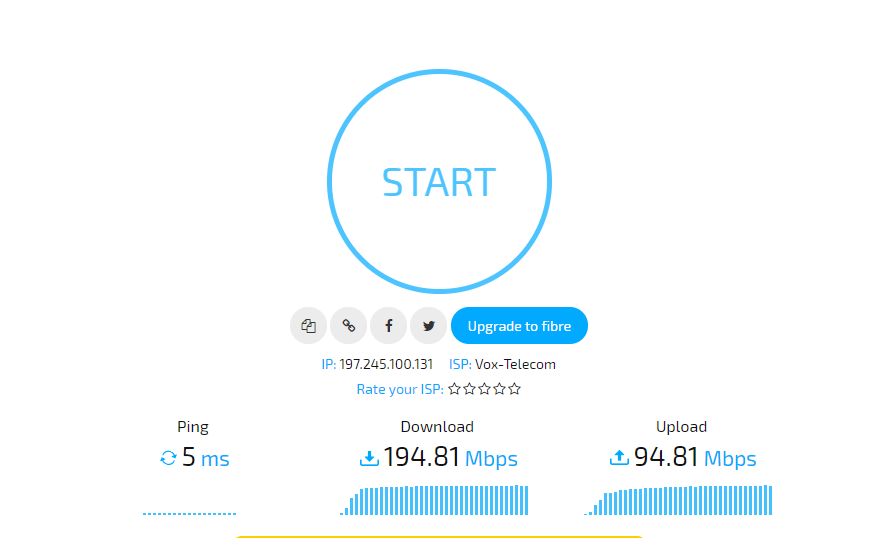
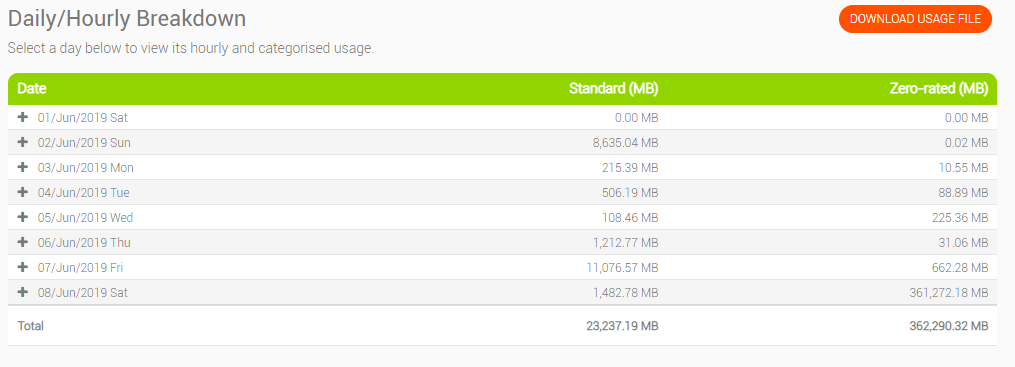
Vox Telecom Fatpipe

Thank you for checking.

Now, when I see the dreaded double ping - my international speeds through vpn are dead in the water.

Seems that somehow the issue is linked (for me at least). I also see the double ping when using the myBB speedtest app and to some of the other servers on the Ookla speedtest app.

Usually, can get full line speed through vpn (9,5 mbps) but not even 1 mbps when this happens.

EDIT: Get same results on wired connection.

Ah well, such is life.

Thanks again.
 
@cavedog can you try the myBB speedtest to JHB please?

7d105d5c1227d567778a5e8e968a8f3a.png


e3ad33ef010e14e24c284e940c538e87.png
 
Thank you for checking.

Now, when I see the dreaded double ping - my international speeds through vpn are dead in the water.

Seems that somehow the issue is linked (for me at least). I also see the double ping when using the myBB speedtest app and to some of the other servers on the Ookla speedtest app.

Usually, can get full line speed through vpn (9,5 mbps) but not even 1 mbps when this happens.

EDIT: Get same results on wired connection.

Ah well, such is life.

Thanks again.
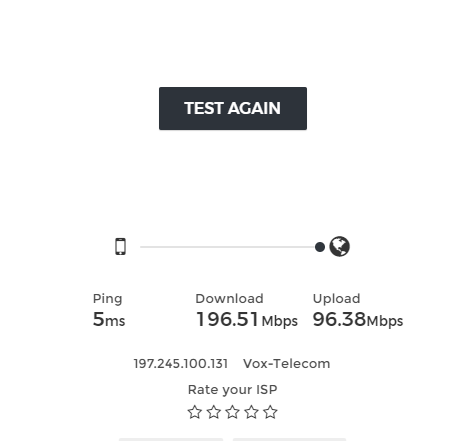
Have you tried looking at traceroutes?

Can be Openserve backhaul to the Vox's IPC in JHB or it can be more local like the MSAN or it's backhaul.

I'm in Centurion and connect to the same IPC point as you at Teraco in JHB so if it was congestion on Vox's side then I should see it too but I don't so could be like I mentioned something on the Openserve backhaul or your MSAN.
 
I’m having issues with VOX fatpipe and Openserve fibre tonight as well. High ping and nothing can stream. PTA East
 
I’m having issues with VOX fatpipe and Openserve fibre tonight as well. High ping and nothing can stream. PTA East

Strange I'm not seeing any issues or latency on Openserve in Centurion.
 
Tracerts show increased latency from the 3rd hop (if I recall correctly - same hop as before):

traceroute to www.afrihost.com (104.20.31.244), 30 hops max, 38 byte packets
1 * * *
2 41.193.3.101 (41.193.3.101) 19.899 ms 19.951 ms 20.019 ms
3 41.193.3.102 (41.193.3.102) 44.004 ms 45.789 ms 45.672 ms
4 196.41.12.0 (196.41.12.0) 43.967 ms 39.974 ms 39.006 ms
5 cloudflare.ixp.joburg (196.60.8.198) 40.235 ms 42.703 ms 42.712 ms
6 104.20.31.244 (104.20.31.244) 42.037 ms 41.710 ms 39.020 ms

Pinging bras.afrihost.com is normal at 16 - 17 ms.

Usually the tracert values to afrihost.com are around 20 - 25 ms.

Speedtests to (all JHB) Cell C, Vodacom, Vox, Afrihost on Ookla all show normal ping (22 - 23 ms).
Some of the servers also show the double latency (e.g. ECN, MTN SA).

I understand that the network doesn't run at 100% all the time, but it does seem to happen quite regularly in the past 2 months or so. And when it does, it is in the evenings when I am trying to stream, which is very annoying.

Things seem to be normalising now so won't be able to do anymore tests.... until next time.

I appreciate your taking the time to assist me... again. Thank you @cavedog.
 
@Dianysis

Tracing route to www.afrihost.com [104.20.31.244]
over a maximum of 30 hops:

1 * * * Request timed out.
2 4 ms 4 ms 4 ms 41.193.164.85
3 5 ms 4 ms 4 ms 41.193.164.86
4 5 ms 4 ms 4 ms 41.193.164.92
5 5 ms 6 ms 6 ms cloudflare.ixp.joburg [196.60.8.198]
6 4 ms 5 ms 4 ms 104.20.31.244

Trace complete.

ping bras.afrihost.com

Pinging bras.afrihost.com [155.239.255.250] with 32 bytes of data:
Reply from 155.239.255.250: bytes=32 time=2ms TTL=64

Ping statistics for 155.239.255.250:
Packets: Sent = 4, Received = 4, Lost = 0 (0% loss),
Approximate round trip times in milli-seconds:
Minimum = 2ms, Maximum = 2ms, Average = 2ms

Seems like the routes aren't the same for me and you :unsure: Interesting
 
Could it be copper vs fibre network which is giving the different routes?

I am on copper adsl.
 
Could it be copper vs fibre network which is giving the different routes?

I am on copper adsl.

Not sure but this is what I get when doing trace routes to the IPs you get.

Tracing route to 41.193.3.101 over a maximum of 30 hops

1 * * * Request timed out.
2 4 ms 4 ms 4 ms 41.193.3.101

Trace complete.

Tracing route to 41.193.3.102 over a maximum of 30 hops

1 * * * Request timed out.
2 5 ms 4 ms 5 ms 41.193.3.101
3 5 ms 5 ms 5 ms 41.193.3.102

Trace complete.

Tracing route to 196.41.12.0 over a maximum of 30 hops

1 * * * Request timed out.
2 4 ms 4 ms 4 ms 41.193.164.85
3 4 ms 4 ms 4 ms 41.193.164.86
4 5 ms 4 ms 4 ms 41.193.164.92
5 5 ms 5 ms 11 ms 41.193.119.41
6 5 ms 5 ms 5 ms 196.41.12.0

Trace complete.
 
How mine looks now that it is back to normal:

traceroute to 196.41.12.0 (196.41.12.0), 30 hops max, 38 byte packets
1 * * *
2 41.193.3.101 (41.193.3.101) 20.708 ms 20.146 ms 20.474 ms
3 41.193.3.102 (41.193.3.102) 19.530 ms 21.733 ms 19.037 ms
4 196.41.12.0 (196.41.12.0) 21.003 ms 22.693 ms 22.452 ms


traceroute to www.afrihost.com (104.20.30.244), 30 hops max, 38 byte packets
1 * * *
2 41.193.3.101 (41.193.3.101) 20.280 ms 19.690 ms 19.302 ms
3 41.193.3.102 (41.193.3.102) 20.101 ms 20.016 ms 19.578 ms
4 196.41.12.0 (196.41.12.0) 20.817 ms 20.523 ms 42.738 ms
5 cloudflare.ixp.joburg (196.60.8.198) 22.524 ms 20.248 ms 22.794 ms
6 104.20.30.244 (104.20.30.244) 20.078 ms 21.233 ms 20.592 ms

EDIT: That 3rd hope seems to be the issue?
 
Same 3rd hop:

traceroute to www.google.co.za (172.217.170.35), 30 hops max, 38 byte packets
1 * * *
2 41.193.3.101 (41.193.3.101) 20.207 ms 20.472 ms 20.542 ms
3 41.193.3.102 (41.193.3.102) 19.809 ms 19.516 ms 19.539 ms
4 196.41.12.0 (196.41.12.0) 29.174 ms 20.063 ms 32.898 ms
5 72.14.220.136 (72.14.220.136) 21.574 ms 100.427 ms 19.776 ms
6 74.125.245.209 (74.125.245.209) 23.033 ms 74.125.245.193 (74.125.245.193) 20.949 ms 74.125.245.209 (74.125.245.209) 21.674 ms
7 172.253.65.249 (172.253.65.249) 21.782 ms 172.253.65.251 (172.253.65.251) 20.485 ms 23.212 ms
8 jnb02s03-in-f3.1e100.net (172.217.170.35) 20.506 ms 22.431 ms 22.567 ms

traceroute to www.amazon.com (13.35.63.190), 30 hops max, 38 byte packets
1 * * *
2 41.193.3.101 (41.193.3.101) 20.525 ms 19.260 ms 19.821 ms
3 41.193.3.102 (41.193.3.102) 19.041 ms 20.073 ms 20.277 ms
4 196.41.12.0 (196.41.12.0) 21.243 ms 22.027 ms 24.668 ms
5 196-60-9-105.ixp.joburg (196.60.9.105) 20.212 ms 20.193 ms 23.469 ms
6 52.93.56.40 (52.93.56.40) 22.839 ms 29.661 ms 52.93.56.8 (52.93.56.8) 22.001 ms
7 52.93.56.131 (52.93.56.131) 21.730 ms 52.93.56.69 (52.93.56.69) 23.264 ms 52.93.56.33 (52.93.56.33) 22.504 ms
8 52.93.56.249 (52.93.56.249) 21.510 ms 52.93.56.253 (52.93.56.253) 20.738 ms 22.987 ms
9 * * *
10 * * *
11 * * *
12 server-13-35-63-190.jnb50.r.cloudfront.net (13.35.63.190) 21.892 ms 19.990 ms 22.513 ms

So it seems I am "locked" to that third hop and when it is giving issues, it causes nonsense for me. Anyway to find out who "owns the 3rd hop" so I can try get them to investigate?
 
All Vox ips. That router probably sits in Teraco somewhere. The issue can be between hop 2 and 3 so need to know what happens between those 2 routers. What is strange is that if it's congestion the latency will vary. It won't be like clock work double then normal again. It will gradely get lower until it's normal and spikes in between.
 
Thanks.
So essentially a Vox issue?

Now to get them to investigate... that is the hard part. Usually just get the run of the mill suggestions - reboot router, reset port, Telkom's problem, etc.
 
May I ask - can you please do a speedtest to the saix.net Telkom JHB server and share if you have an elevated ping (in my case it is double)?

Having the issue right now and trying to see if there are other cases.

As some are aware, I have had the issue on and off now for a little while and can't seem to get to the bottom of it. Speaking to the Vox reps and Telkom techs does not help.

Location: 10 mbps copper line, Vaal Triangle

EDIT: local speeds/performance seem unaffected, but international and vpn speeds/performance are terrible.

Thanks.

10/5 Mbps Openserve Fibre - Axxess

Speedtest on Vox FP

https://www.speedtest.net/my-result/i/3282320110
3282320110.png
 
Top
Sign up to the MyBroadband newsletter
X