


jroux
Active Member
I have found an issue with the TP Link MR3420. It won't allow a Cisco VPN connection. Tried all the settings VPN pass thru enabled etc. but no luck.
South Africa’s biggest forum. Discuss, discover, and connect with thousands of members.

I was actually hoping to get a post that shows all the Cell C configuration settings - Seeing as there is no manual
So far all I have is:
dial command - *99#
APN - Internet
Pin - None
Username and Password - Not required
What are the other default settings such as remote address etc.?
I have "RT" that "FM" a couple times and I'm busy with the Mikrotik support guys to get this thing working but I feel like there is something amis from the Cell C settings pespective - I mean what else am I supposed to think after trying the basics?
Hopefully someone has set up a Cell C dongle on a RB411U

Oh hello, now there's an interesting-looking link!
I have another issue with the mr3220 whereby the routers web interface crashes and you can no longer access it on 192.168.1.1 anyone one else with this issue?
What I think might have been happening is a DOS attack from the Internet on my TP-Link mr3220 routers web server causing it to crash so I have now enabled all the advanced security settings such as DOS attack prevention and packet flood prevention in an effort to solve this problem.
DOS attack on Cell C? Highly unlikely seeing as they don't allow unsolicited inbound connections.

He's in the UK.
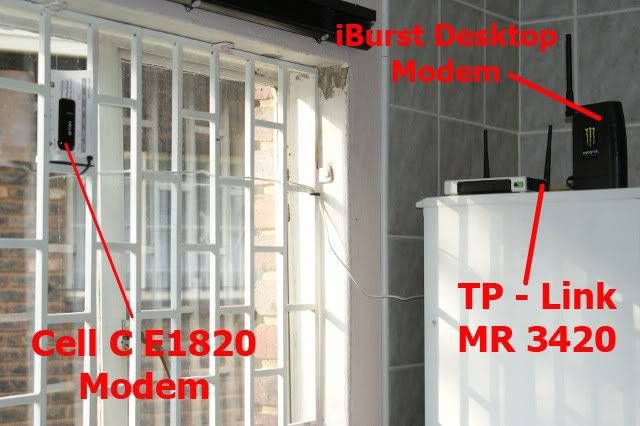
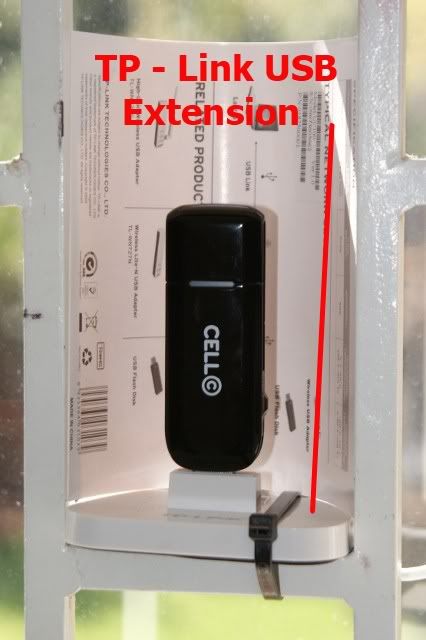
This is my setup at home.

