MTN SuperSonic Feedback

use speedtest.net and where it says "change server" type the country you want to test to and choose a server.

Thank you. One more thing, what about checking to specific servers for example DSTV or Youtube?
 
@cavedog could you do a torrent test when you can to see if it is downloading at max speed?

My torrents are maxing at 2.6MB/s
 
@cavedog could you do a torrent test when you can to see if it is downloading at max speed?

My torrents are maxing at 2.6MB/s

My torrents are always maxing.

Ran for less than 24 hours and data usage is insane
cf400b365762cd897671a4bb65a431b8.png


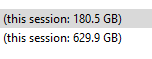
I always get full speed ALWAYS no matter the amount of data. Even used 800GB just yesterday alone on torrents and still maxes my connection.

supersonic_p2p.png

My usage so far this month.

supersonic_usage.png
 
Last edited:
Do you think maybe your issues are with Vumatel? It's not with Supersonic's network unless Supersonic routes Vumatel and Openserve completely different. I would think that After Openserve IPC and Vumatel hand over the traffic would be similar...
 
Using windscribe vpn and my torrents are maxing which leads me to supersonic. I suppose it's not too big a deal as I don't torrent much but it was something that I noticed this afternoon.

I can't see if it's because of how much data I have used as I was told by supersonic that there is no way to view my usage and it is because of a limitation with vumatel.
 
Using windscribe vpn and my torrents are maxing which leads me to supersonic. I suppose it's not too big a deal as I don't torrent much but it was something that I noticed this afternoon.

I can't see if it's because of how much data I have used as I was told by supersonic that there is no way to view my usage and it is because of a limitation with vumatel.

Are you connecting to a local VPN server or international one? Packet loss on a fibre line causes international traffic to dive quickly.
 
International uk server. The free version does not include south africa
 
I haven't tried to torrent for years. What's the client people use these days? I tried 2 which my antivirus didn't like.

I'm very generous on public trackers actually. I upload terrabytes each month. I limit my upload to 5MB/s when downloading and unlimited when not downloading.

There are a bunch. Qbitorrent,utorrent,deluge,bittorrent,taxati,bitcomet,bitlord,transmission,vuze,fdm and many more.

I use Bitcomet for public torrents and tixati for my private torrents.

Butcomet is soooooo good on publics with the emule plugin and the LTS feature. No other torrent client can beat it on speed. Tixati is nice for private torrent sites but public torrent sites it's just not as good. Qbitorrent and deluge is a favourite too with ad free clients although I don't like them much.
 
Thanks @cavedog contacting the ispa finally showed results and it seems like the issue is done. Below is the response email I received from the ispa. There was also an email and phone number for the manager which is always a good save:)

Dear Gabriel Woods,

Regarding your complaint against Supersonic FTTX (Pty) Ltd, we
have received the following correspondence from the service provider:

+-------------------------------------------------------------------------
Supersonic has been in direct communication with the complainant around this issue, and have detailed the reasons for the experience telephonically. We acknowledge human error during the account creation process, where the complainant’s account details were erroneously associated with an incorrect IP address. This resulted in the complainants account displaying incorrect information on the user log in portal on our website. We have not shared any personal details of the complainant with other customers, and the erroneous information shared with the complainant cannot be attributed to any personal details of other Supersonic customers.
We have rectified the issue on our systems, corrected the billing and have communicated this with the complainant on Friday 12th of April. We trust that this complaint has been adequately dealt with and resolved, your feedback always appreciated.​
 
Nice. Hope they fixed the billing and offer you something to apologise for the mistake.
 
Hi @cavedog I'm still struggling with slow speeds over Wifi. I mostly notice it with streaming DSTV, FB and Twitter. When I use my pc, there is no issues. Could this be faulty router or maybe some settings I can change? All the guy at the call centre could tell me that I shouldn't expect full speed over wifi. I told him I understand that but I can't even stream DSTV at the lowest settings. I don't have access to the router as they changed the default password on setup. I read online that changing the QoS settings will help with this. I have no experience with these things. It's really frustrating that I can't even get a fraction of the line speed over wifi and their so called 'super techies' aren't very helpful either...
 
Hi @cavedog I'm still struggling with slow speeds over Wifi. I mostly notice it with streaming DSTV, FB and Twitter. When I use my pc, there is no issues. Could this be faulty router or maybe some settings I can change? All the guy at the call centre could tell me that I shouldn't expect full speed over wifi. I told him I understand that but I can't even stream DSTV at the lowest settings. I don't have access to the router as they changed the default password on setup. I read online that changing the QoS settings will help with this. I have no experience with these things. It's really frustrating that I can't even get a fraction of the line speed over wifi and their so called 'super techies' aren't very helpful either...
you might have interference.
try this:
https://www.acrylicwifi.com/en/wlan...oftware-tools/wlan-scanner-acrylic-wifi-free/
 
Hi @cavedog I'm still struggling with slow speeds over Wifi. I mostly notice it with streaming DSTV, FB and Twitter. When I use my pc, there is no issues. Could this be faulty router or maybe some settings I can change? All the guy at the call centre could tell me that I shouldn't expect full speed over wifi. I told him I understand that but I can't even stream DSTV at the lowest settings. I don't have access to the router as they changed the default password on setup. I read online that changing the QoS settings will help with this. I have no experience with these things. It's really frustrating that I can't even get a fraction of the line speed over wifi and their so called 'super techies' aren't very helpful either...

The QoS should be disabled by default. I would suggest you change the Wifi band. I had to to that for my 5Ghz wifi because my phone was maxing at 120Mbps on 5Ghz and after I increased the bandwidth to max and change the wifi channel I now get 200Mbps on 5Ghz easy.

Since you do not have access to the router maybe give them a call and ask them to change the wifi channel and increase the bandwidth in the wifi setting to max.
 
The QoS should be disabled by default. I would suggest you change the Wifi band. I had to to that for my 5Ghz wifi because my phone was maxing at 120Mbps on 5Ghz and after I increased the bandwidth to max and change the wifi channel I now get 200Mbps on 5Ghz easy.

Since you do not have access to the router maybe give them a call and ask them to change the wifi channel and increase the bandwidth in the wifi setting to max.

How did you find out the best WiFi channel for you? Just tested every one until you found one that worked best?
 
How did you find out the best WiFi channel for you? Just tested every one until you found one that worked best?

That is unfortunately the best way. There are wireless signals that are not showing up on a wifi analizer app on a phone like console remotes and wireless keyboards and mouse then the neighbors wifi and wireless ISP's in the area. 5Ghz is usually not that big of an issue because the coverage does not extend like 2.4Ghz. Just play around with the random channels and you will see which works best.
 
Top
Sign up to the MyBroadband newsletter
X